Matt RaibleMatt Raible is a writer with a passion for software. Connect with him on LinkedIn.

The Angular Mini-Book The Angular Mini-Book is a guide to getting started with Angular. You'll learn how to develop a bare-bones application, test it, and deploy it. Then you'll move on to adding Bootstrap, Angular Material, continuous integration, and authentication.

Spring Boot is a popular framework for building REST APIs. You'll learn how to integrate Angular with Spring Boot and use security best practices like HTTPS and a content security policy.

For book updates, follow @angular_book on Twitter.

The JHipster Mini-Book The JHipster Mini-Book is a guide to getting started with hip technologies today: Angular, Bootstrap, and Spring Boot. All of these frameworks are wrapped up in an easy-to-use project called JHipster.

This book shows you how to build an app with JHipster, and guides you through the plethora of tools, techniques and options you can use. Furthermore, it explains the UI and API building blocks so you understand the underpinnings of your great application.

For book updates, follow @jhipster-book on Twitter.

10+ YEARS


Over 10 years ago, I wrote my first blog post. Since then, I've authored books, had kids, traveled the world, found Trish and blogged about it all.

Building LinkedIn's Next Generation Architecture with OSGi by Yan Pujante

This week, I'm attending the Colorado Software Summit in Keystone, Colorado. Below are my notes from an OSGi at LinkedIn presentation I attended by Yan Pujante.

LinkedIn was created in March of 2003. Today there's close to 30M members. In the first 6 months, there was 60,000 members that signed up. Now, 1 million sign up every 2-3 weeks. LinkedIn is profitable with 5 revenue lines and there's 400 employees in Mountain View.

Technologies: 2 datacenters (~600 machines). SOA with Java, Tomcat, Spring Framework, Oracle, MySQL, Servlets, JSP, Cloud/Graph, OSGi. Development is done on Mac OS X, production is on Solaris.

The biggest challenges for LinkedIn are:

  • Growing Engineering Team on a monolithic code base (it's modular, but only one source tree)
  • Growing Product Team wanting more and more features faster
  • Growing Operations Team deploying more and more servers

Front-end has many BL services in one webapp (in Tomcat). The backend is many wars in 5 containers (in Jetty) with 1 service per WAR. Production and Development environments are very different. Total services in backend is close to 100, front-end has 30-40.

Container Challenges
1 WAR with N services does not scale for developers (conflicts, monolithic). N wars with 1 service does not scale for containers (no shared JARs). You can add containers, but there's only 12GB of RAM available.

Upgrading back-end service to new version requires downtime (hardware load-balancer does not account for version). Upgrading front-end service to new version requires redeploy. Adding new backend services is also painful because there's lots of configuration (load-balancer, IPs, etc.).

Is there a solution to all these issues? Yan believes that OSGi is a good solution. OSGi stands for Open Services Gateway initiative. Today that term doesn't really mean anything. Today it's a spec with several implementations: Equinox (Eclipse), Knoplerfish and Felix (Apache).

OSGi has some really, really good features. These include smart class loading (multiple versions of JARs is OK), it's highly dynamic (deploy/undeploy built-in), it has a service registry and is highly extensible/configurable. An OSGi bundle is simply a JAR file with an OSGi manifest.

In LinkedIn's current architecture, services are exported with Spring/RPC and services in same WAR can see each other. The problem with this architecture comes to light when you want to move services to a 2nd web container. You cannot share JARs and can't talk directly to the other web app. With OSGi, the bundles (JARs) are shared, services are shared and bundles can be dynamically replaced. OSGi solves the container challenge.

One thing missing from OSGi is allowing services to live on multiple containers. To solve this, LinkedIn has developed a way to have Distributed OSGi. Multicast is used to see what's going on in other containers. Remote servers use the OSGi lifecycle and create dynamic proxies to export services using Spring RPC over HTTP. Then this service is registered in the service registry on the local server.

With Distributed OSGi, there's no more N-1 / 1-N problem. Libraries and services can be shared in one container (memory footprint is much smaller). Services can be shared across containers. The location of the services is transparent to the clients. There's no more configuration to change when adding/removing/moving services. This architecture allows the software to be the load balancer instead of using a hardware load balancer.

Unfortunately, everything is not perfect. OSGi has quite a few problems. OSGi is great, but the tooling is not quite there yet. Not every library is a bundle and many JARs doesn't have OSGi manifests. OSGi was designed for embedded devices and using it for the server-side is very recent (but very active).

OSGi is pretty low-level, but there is some work being done to hide the complexity. Spring DM helps, as do vendor containers. SpringSource has Spring dm Server, Sun has GlassFish, and Paremus has Infiniflow. OSGi is container centric, but next version will add distributed OSGi, but will have no support for load-balancing.

Another big OSGi issue is version management. If you specify version=1.0.0, it means [1.0.0, ∞]. You should at least use version=[1.0.0,2.0.0]. When using OSGi, you have to be careful and follow something similar to Apache's APR Project Versioning Guidelines so that you can easily identify release compatibility.

At LinkedIn, the OSGi implementation is progressing, but there's still a lot of work to do. First of all, a bundle repository needs to be created. Ivy and bnd is used to generate bundles. Containers are being evaluated and Infiniflow is most likely the one that will be used. LinkedIn Spring (an enhanced version of Spring) and SCA will be used to deploy composites. Work on load-balancing and distribution is in progress as is work on tooling and build integration (Sigil from Paremus).

In conclusion, LinkedIn will definitely use OSGi but they'll do their best to hide the complexity from the build system and from developers. For more information on OSGi at LinkedIn, stay tuned to the LinkedIn Engineering Blog. Yan has promised to blog about some of the challenges LinkedIn has faced and how he's fixed them.

Update: Yan has posted his presentation on the LinkedIn Engineering Blog.
Posted in Java at Oct 20 2008, 11:20:09 AM MDT 8 Comments

Going to Colorado Software Summit? Bring your skis!

As I mentioned last week the Colorado Software Summit begins this weekend. I don't know what to expect weather-wise, but the Keystone forecast looks like it might snow a bit. A-Basin is open and tickets are only $49 per day. Since it's only a few miles from Keystone, I think I'll bring my skis and hit the slopes. If you're coming to the show and would like to join me, let me know.

Based on my schedule, I'm currently thinking of going Tuesday, Thursday or Friday morning. If the conditions are good, I may even go a couple times. Below are a couple pictures I took during the conference in years past. It'll be interesting to see what the weather is like this year.

Snow in Keystone Keystone

Posted in General at Oct 17 2008, 11:47:55 AM MDT Add a Comment

The Colorado Software Summit and Spring 3.0's SVN

In a little over two weeks, my favorite conference begins in Keystone, Colorado. The reason I like it so much is because it's an annual gathering (this will be my 4th year) with friends and it's somewhat like a vacation, except you get to learn a lot. This year I'll be speaking about Appcelerator and Spring 3.0.

A few weeks ago, I wondered How open source is Spring and expressed my frustration in not being able to find the source code. At almost the same time, SpringSource's controversial maintenance policy was announced. Developers booed, Free Spring was founded and SpringSource changed their tune. In addition, someone sent me the FishEye URL for Spring 3.0's SVN. From that, I was able to figure out how to get Spring 3.0's source code.

svn co https://src.springframework.org/svn/spring-framework/trunk spring-3.0

The only bad news is FishEye shows the last change as "17 September 2008 ... (21 days ago)". If Spring 3.0 M1 is supposed to be released any day now, you'd think there would be more SVN commits. Anyone from SpringSource care to comment?

Posted in Java at Oct 09 2008, 08:23:21 AM MDT 6 Comments

Appcelerator with Matt Quinlan

This evening I attended the Denver Open Source User Group meeting where the Basic Concepts talk was on Appcelerator. Matt Quinlan (Twitter, Blog, LinkedIn) was the presenter. I arrived 10 minutes late, so I didn't hear any of the intro stuff. Below are my notes from the event.

The Appcelerator developers liked the "onclick" syntax, but found it was too limited to do everything they wanted. Rather than onclick, they use an on attribute. For example:

<div on="click then l:show.box">
Click me
<div>

"DOM Manipulation is JavaScript cruft."

Appcelerator allows you to implement the Observer pattern in the browser. In addition to allowing DOM elements to subscribe to messages, server-side objects (in any language) can subscribe as well. In Appcelerator syntax "l:" means local and "r:" means remote. The messages that are passed to the server are JSON and have payloads. JSON is more popular than XML because you can eval() it and create JavaScript objects from it. Appcelerator allows you to do Declarative Ajax. On the server-side, you can annotation Java and C# classes with @Service to subscribe to messages. In other languages (i.e. PHP), Javadoc-style comments are used.

Tagline: The seamless fusion of RIA and SOA.

Web Expression Language
Goal is to eliminate 90% of the JavaScript you write. Example syntax:

on="[condition] then [action]"

Conditions include DOM events (click, focus, blur, change, mouse events), key events (up, down, press), other (history, drag/drop, selected, resize, iPhone orient, sortXYZ), subscribe to custom message. Actions include Scriptaculous effects (show/hide, fade, move, drop, grow), set element value (static, dynamic, bind), set CSS class or attribute, execute custom JavaScript, publish custom message.

Now Matt is doing a demo on http://try.appcelerator.org. This site consists of a form that allows you to type in Appcelerator code and run it. 3 attributes can be added to any tag: draggable, droppable and resizeable.

Client-Side
Add simple tags to your HTML to inject RIA widgets. Add single property to existing HTML elements for dynamic behavior. Eclipse Plugin built on Aptana, but is generally targeted towards web developers moreso than business analysts (no drag and drop of widgets).

Server-Side
Server-side development done with your IDE of choices. Based on your server-side tehchnology platform. Easily create services using annotations.

App Command
The app command is similar to Rails' GEM command. Allows you to build scaffolding and deploy to cloud (AppEngine, Amazon S3). It also allows you to pulldown components from the main server and auto-updating.

Examples:

Appcelerator allows you to create prototypes easily by using a JavaScript file with mocks for the server-side objects. In the next version, you can "annotate" the UI and allow end-users to Ctrl+Click on elements and add feedback. For an example of this, see http://dev.appcelerator.com/pearson.

When starting with Appcelerator, you can start by crawling (including appcelerator.js for widgets) then move to walking (decouple server-side and client-side) and finally running (developing working prototypes with mocks for server-side).

"Let's face it, ASP, JSP, PHP and Ruby are just lipstick on CGI."

Posted in Open Source at Oct 07 2008, 07:08:19 PM MDT 5 Comments

Xebia RIA Framework Contest

Last year, I blogged about the Xebia Web Framework Contest where Struts 2, GWT, Wicket and MyFaces (JSF) were all used to develop the same applications. It seems they've done it again this year, comparing RIA frameworks (English translation) this time.

Five teams were formed, five frameworks have been selected:

  • Flex 3 Flex 3
  • Silverlight 2.0 beta 2 Silverlight 2.0 beta 2
  • Google GWT 1.5 Google GWT 1.5
  • Echo3 Echo3
  • JavaFX Preview SDK JavaFX SDK Preview

The number of teams is limited, the list of frameworks is also selected, and we have therefore necessarily set aside some frameworks that would have certainly had their place in the contest. Examples Ext JS, Yahoo! UI, Curl, XUL, ZK or OpenLaszlo. If you have experience on one of these frameworks, feel free to share in the comments on this article! [Read More »]

The winner? Flex - which doesn't surprise me a whole lot.

After this day, the Flex team, has clearly demarcated from its competitors. After two sprints of development and ownership, it could devote the third and final sprint to get rich quick and easy application, focusing only on the features and user experience. It is thanks to the wealth of high-level components, the wealth of documentation available and a maturity framework that the team has made the Flex application's most successful.

Good stuff - thanks Xebia!

Posted in Java at Oct 07 2008, 08:06:48 AM MDT 1 Comment

Ajaxified Body: Now with Back Button and Bookmarking Support

I uploaded a new version of Ajaxified Body to its demo site a few minutes ago. Changelog:

Added RSH for history and bookmarking and changed to use Prototype and Scriptaculous from Google's CDN.

I found Really Simple History easy to use but poorly documented. Brad Neuberg's AJAX: How to Handle Bookmarks and Back Buttons article was the one that got me over the learning curve. Hat tip to Ignacio for the RSH suggestion.

Let me know if you see any issues or have suggestions for improvement.

Posted in Java at Oct 07 2008, 12:14:00 AM MDT 4 Comments

Ajaxified Body

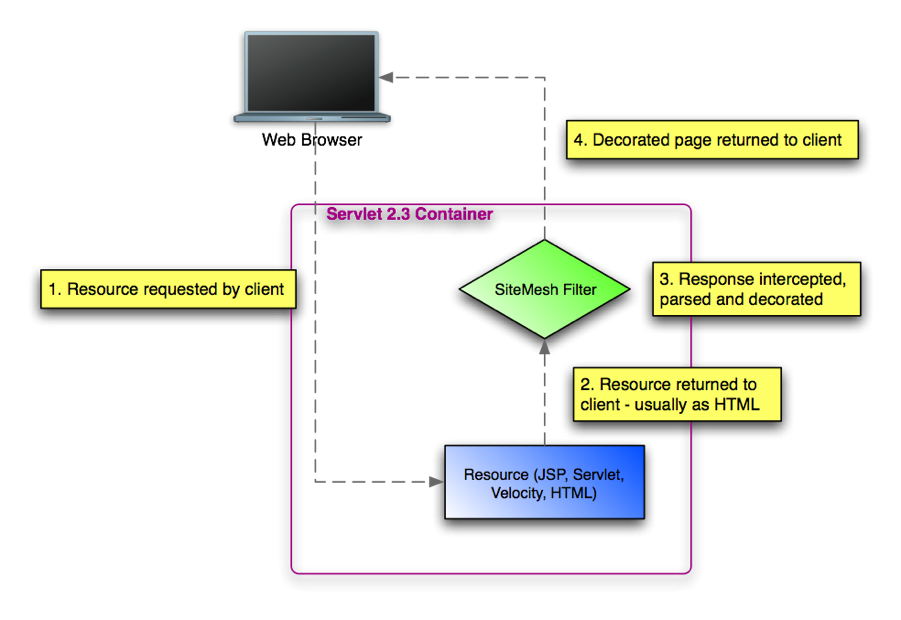
I've often wondered if it was possible to use Ajax to reload the main content of a web application without reloading the header, menu and footer. SiteMesh allows you to move these common elements to a decorator that gets wrapped around each page. Below is a diagram of how SiteMesh works.

SiteMesh

You can read the Introduction to SiteMesh article if you're interested in learning more about SiteMesh's basic features. By default, SiteMesh decorates text/html responses and ignores any other content type (e.g. image/gif). It also contains an <excludes> configuration element that allows you to turn off decoration when a URL matches a certain pattern. For example, the following allows you to disable decoration when "ajax=true" is passed in the URL.

<excludes>
    <pattern>**ajax=true</pattern>
</excludes>

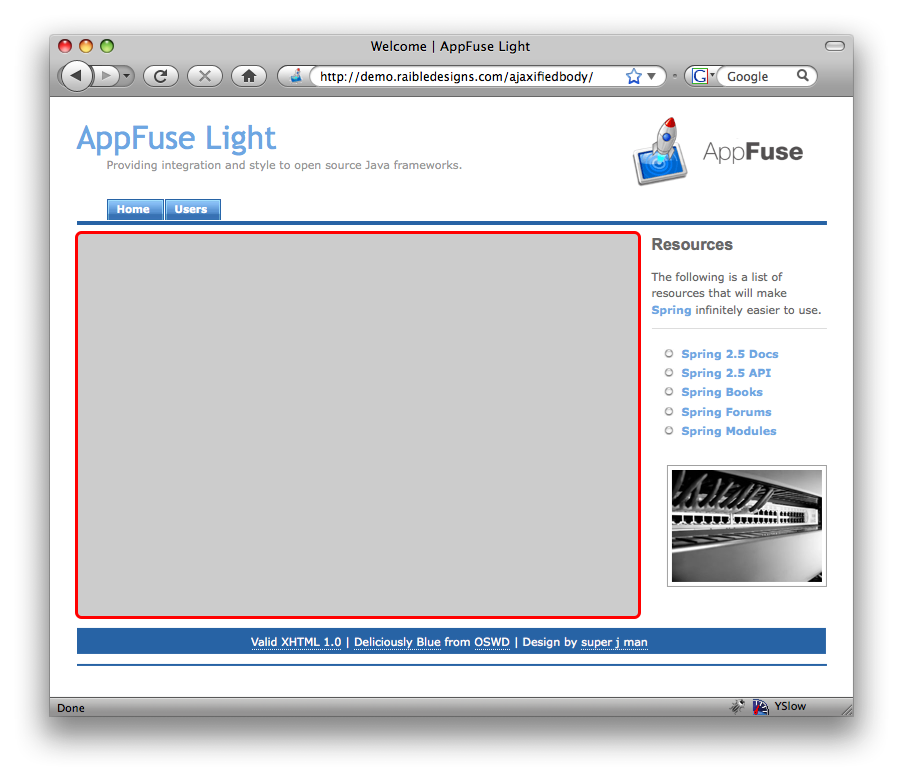
To optimize the loading of an application so the common elements aren't loaded for each page, it should be possible to create an Ajaxified Body where the primary content area (PCA) of the site is loaded via Ajax rather than refreshing the whole page. The header, footer and navigation bar often stays the same from page-to-page, so it doesn't seem to make a whole lot of sense to load them each time the page loads. The image below shows the PCA (of an AppFuse Light application) as a grey square with a red border.

Ajaxified Body - AppFuse Light

Implementing an Ajaxified Body consists of the following steps:

  1. Adding SiteMesh and moving common elements to a decorator.
  2. Remove common elements from each individual page (if you're using includes).
  3. Configure SiteMesh so decoration is disabled when the requested URL contains "ajax=true".
  4. Write JavaScript that modifies all <a href=""> links (and buttons with onclick='location.href') in the PCA to have an onclick handler.
  5. The onclick handler should call a JavaScript function that loads the link's URL + ajax=true using XMLHttpRequest (XHR).
  6. Add XHR success handling to replace the PCA with the loaded content.
  7. Add XHR error handling to go to the URL normally when response.status != 200.
  8. Inspect the response HTML for <title> element and replace document.title if exists.
  9. Inspect the response HTML for <head> element and append to current if exists.
  10. Inspect the response HTML for <script> and <link> elements (JavaScript and CSS) and evaluate them if they exist.

As a proof of concept, I created a prototype using AppFuse Light (Prototype/Scriptaculous for Ajax). You can see a demo at the following URL. You can also download a patch or the source for this project.

http://demo.raibledesigns.com/ajaxifiedbody

Below are a number of things I discovered while writing this prototype:

  • The hardest part of implementing this seems to be coding the exceptions. It's possible you'll have some links with existing onclick handlers and you may have to disable "ajaxifying links" for those links.
  • A progress indicator is important or the page might load so fast that the user doesn't visually detect it changed. This can lead to a worse user experience because they don't see the flash of the blank page they're used to when a page load occurs.
  • While forms can be submitted via Ajax, there's no harm in leaving existing form behavior in place where the full site is reloaded after submitting a form.
  • If a particular page needs to change the common elements (header, menu, footer), it should be possible to do that with JavaScript after the PCA content loads.
  • If the success/error indicator is outside the PCA, it may need to be populated and displayed/hidden with JavaScript after the PCA loads.

I'm sure my implementation can be improved, but I'm also curious to see what you think of this idea. I know it's not revolutionary, but it's something I'm considering adding by default to AppFuse and AppFuse Light. Do any Ajax frameworks do something like this out-of-the-box?

Update: Thanks to everyone for the great feedback - keep it coming. I agree that adding history support is a must. I'll try to do that in the next day or two. This post has also been featured on Javalobby and Ajaxian.

Update 2: Added history support.

Posted in Java at Oct 03 2008, 02:33:09 PM MDT 19 Comments

Oktoberfest: Best. Vacation. Ever.

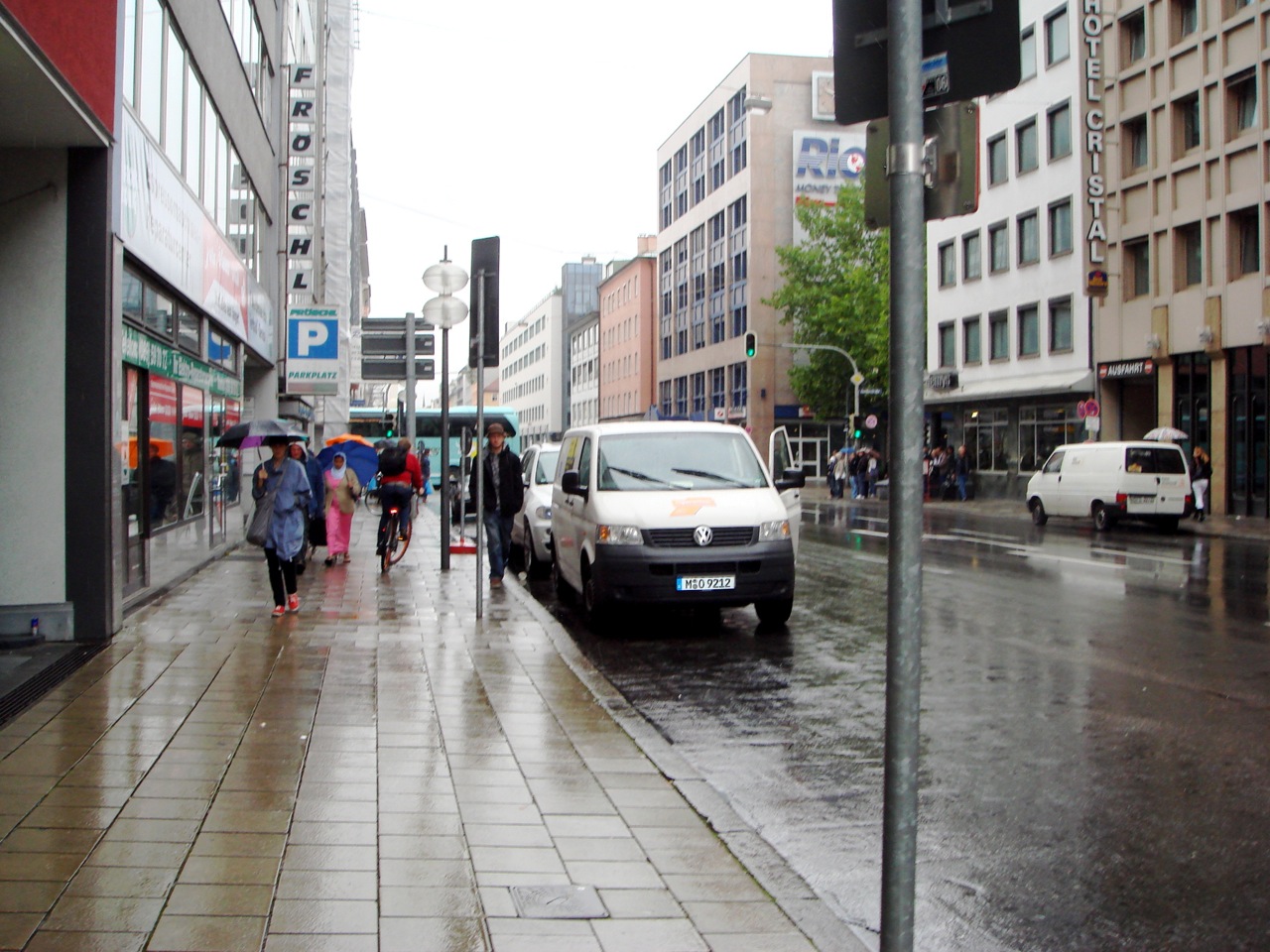
As mentioned earlier, a good friend (Miller) and I took a vacation to Oktoberfest last week. The flight over was brutal: Denver -> Newark (4 hour layover) -> Paris (2 hour layover) -> Munich. I was pretty disappointed to see "No Service" on my iPhone when we landed in France. This continued in Munich and I quickly decided connectivity wasn't necessary. After a 80 € cab ride from the airport, we arrived at our hotel around 1PM on Monday. We both woke up at 4AM on Sunday to start the journey, so we were pretty beat.

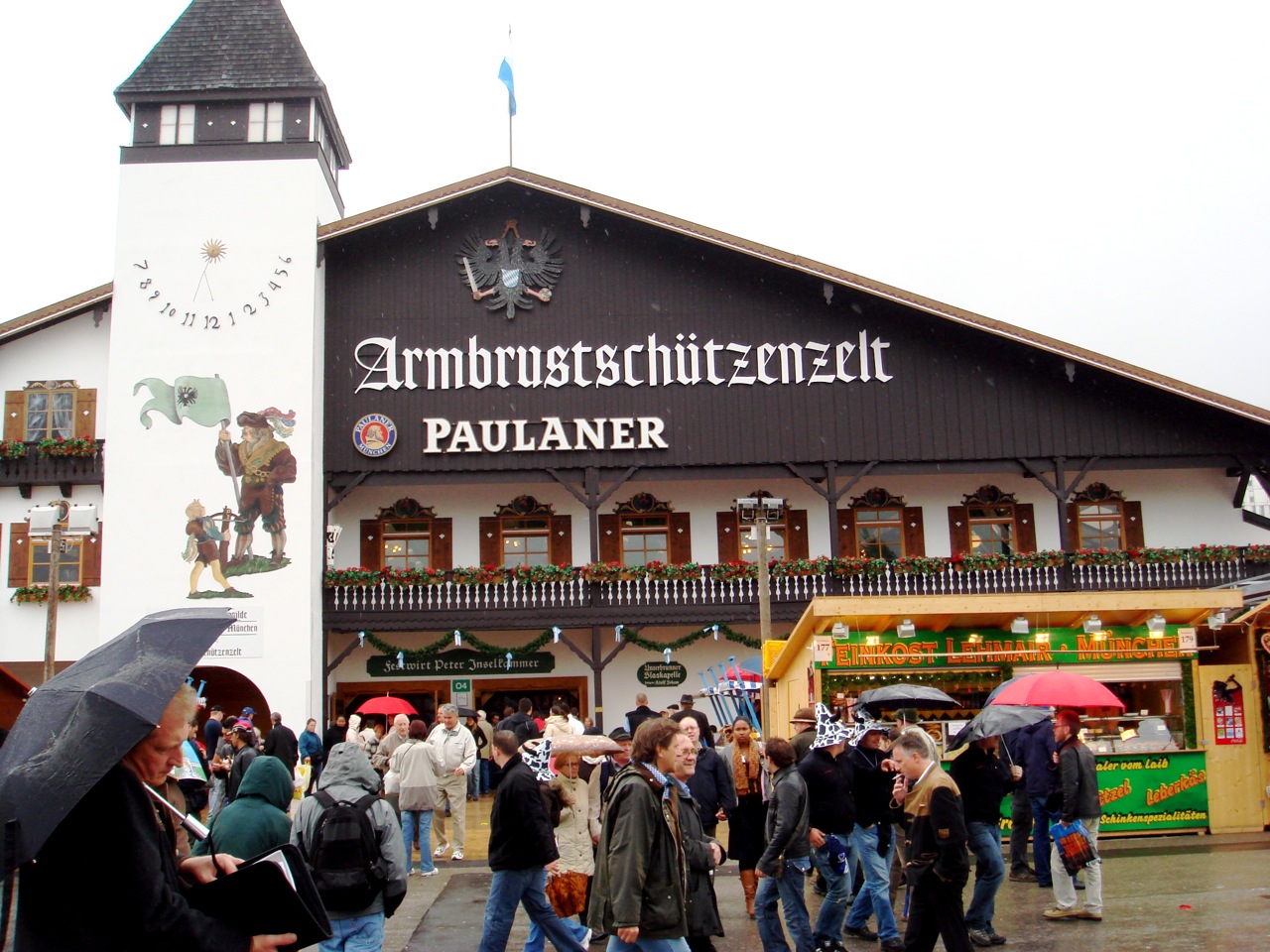
It didn't take us long to decide we had to suck it up and head to "The Tents" at Oktoberfest. We walked the 4 blocks in the rain and quickly ended up in the Armbrustschutzenzelt tent. The crowd was small and we found a table and enjoyed our first Liter.

Weather on Arrival in Munich Day 1 - First Tent

I won't go into details about how much fun we had during the week, except for these simple stats:

  • Made it into The Tents 5 days in a row
  • Mostly slept in until 2 or 4PM each day
  • No Hangovers (for me at least)

I've uploaded most of the pictures I took to an Oktoberfest 2008 set on Flickr. I would like to thank Peter and friends for being fabulous hosts and showing us a great time on Thursday night. Below is a video I took of what the festivities were like (yes, that is Bon Jovi):

If you ever get a chance to attend Oktoberfest, I highly recommend it.

Posted in General at Oct 01 2008, 10:37:49 PM MDT 5 Comments

My Oktoberfest Adventure Begins

A few months ago, a friend called me up and asked if I wanted to go to Oktoberfest. He said he had enough miles to cover both our tickets. I couldn't pass up the opportunity and hence we're leaving at the crack of dawn tomorrow for a week in Munich, Germany. We're not taking laptops and we don't plan on doing a whole lot more than having a great time.

Summerview @ Neuhausen/Munich

If you'd like to see what we're doing on our adventure, you can follow me on Twitter.

Posted in General at Sep 20 2008, 10:19:28 PM MDT 13 Comments

Performance Testing Memcached

Earlier this week, co-workers and I did some performance testing with Memcached. We wanted to see how long it'd take to send different sizes of objects over the wire to Memcached on a remote server.

We setup a simple environment with 2 Mac Pros both running 2 x 2.8 Ghz Quad-Core Intel Xeon processors and 12GB of RAM. We used one machine as a Memcached server and one machine running an application with the addition of a new Servlet Filter. The Servlet Fitler read a size parameter and used it to set the size of the object being written and read from the Memcached server. We used JMeter to put load on the box. The following describes the load and the results.

Write Times
Write tests were performed with a single user executing 1000 sequential remove then writes.

Size in Bytes Time (ms.) Min. Time (ms.) Max. Time (ms.) Total
20000 1.31 0 7 1000
50000 1.834 1 8 1000
100000 2.87 2 9 1000
500000 12.641 9 283 1000

Read Times
Read tests were performed using 50 users with 1 sec. ramp times executing 100 reads each.

Size in Bytes Time (ms.) Min. Time (ms.) Max. Time (ms.) Total
20000 4.8414 1 375 5000
50000 18.343 1 354 5000
100000 46.181 2 415 5000
500000 137.7328 6 953 5000

During our tests, Memcached was started using the following settings:

memcached -d -m 2048 -M -p 10171 -vv

If you've done similar performance testing with Memcached, we'd love to see your results.

Posted in Open Source at Sep 19 2008, 11:29:33 AM MDT 6 Comments