Matt RaibleMatt Raible is a writer with a passion for software. Connect with him on LinkedIn.

The Angular Mini-Book The Angular Mini-Book is a guide to getting started with Angular. You'll learn how to develop a bare-bones application, test it, and deploy it. Then you'll move on to adding Bootstrap, Angular Material, continuous integration, and authentication.

Spring Boot is a popular framework for building REST APIs. You'll learn how to integrate Angular with Spring Boot and use security best practices like HTTPS and a content security policy.

For book updates, follow @angular_book on Twitter.

The JHipster Mini-Book The JHipster Mini-Book is a guide to getting started with hip technologies today: Angular, Bootstrap, and Spring Boot. All of these frameworks are wrapped up in an easy-to-use project called JHipster.

This book shows you how to build an app with JHipster, and guides you through the plethora of tools, techniques and options you can use. Furthermore, it explains the UI and API building blocks so you understand the underpinnings of your great application.

For book updates, follow @jhipster-book on Twitter.

10+ YEARS


Over 10 years ago, I wrote my first blog post. Since then, I've authored books, had kids, traveled the world, found Trish and blogged about it all.

My Incredible Trip to Ireland

If you ever get a chance to travel to Ireland, take it! I don't know when I heard these words, or how they came into my head, but I remembered them clearly when I was first introduced to Barry Alistair by Jeff Genender. Soon after, I was able to negotiate my way into being a speaker at The 2010 Irish Software Show.

The show was last week and I had a blast traveling to Dublin to speak and explore. My sister came me on this trip, but missed a connection in Seattle and had to join me a day late. I left Denver at noon on Monday and arrived at Dublin Airport at 7 am. I was on the same flight as Josh Long and thoroughly enjoyed my iPad as a travel companion. When I got off the plane, my battery life was at 60% and I'd been watching movies and listening to music for 6 hours.

I took a cab through the misty, cool morning to my hotel. I grabbed a coffee, cleaned up, and walked a few blocks to Trinity College for the conference. I made it in time for the opening keynote by Chris Horn. It was an interesting talk, focusing on what needed to happen to make Ireland the Innovation Hub of Europe. After that, I attended Tim Berglund's session on Complexity Theory and Software Development. After lunch and a few more talks, I teamed up with Andres Almiray and Josh Long for a pint at the hotel bar.

That evening, we attended Jeff Genender's talk on Getting into Open Source. The free drinks loosened everyone up and Jeff did a great job with a humorous presentation on how to get Committer Status. After Jeff's talk, about 10 of us headed to a Moroccan restaurant for a late dinner. I was in bed around midnight.

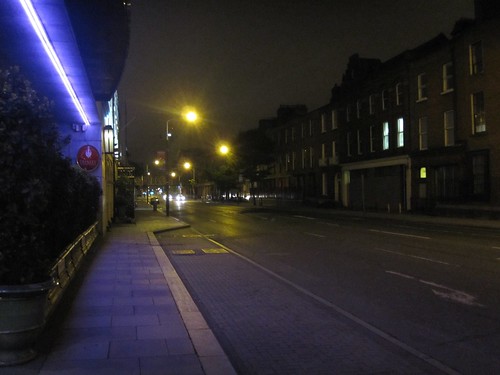
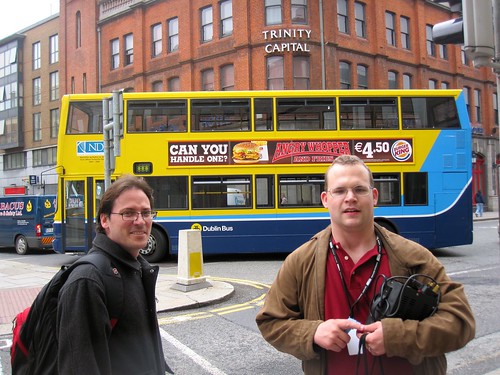
Andres Almiray and Josh Long The Genenders Heading for Indian After Jeff's Talk Streets of Dublin in the early morning

Wednesday morning, my sister arrived in my hotel room at 8 and promptly fell into bed. I set my alarm to sleep an hour and closed the Vegas-style, no-light-allowed curtains. We awoke much later (12:30) than we'd planned (9:00). We quickly got up and headed for some sight-seeing in Dublin. First off, we hit Dublinia and Christ Church Cathedral. Both sites were spectacular and we both learned a lot about the history of Dublin. From there, we skipped across the bridge to The Old Jameson Distillery for a tour and a bit of whiskey.

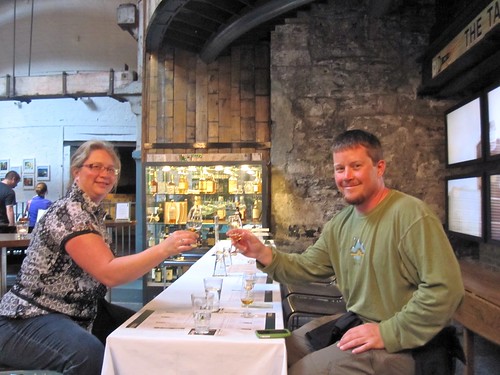
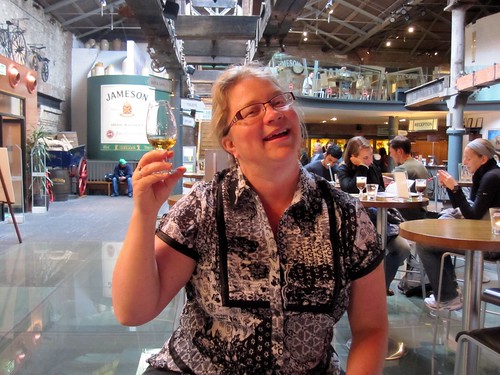
Runes Exhibit in Dublinia Christ Church Cathedral and Dublinia Tasting Whiskey The 18 Year

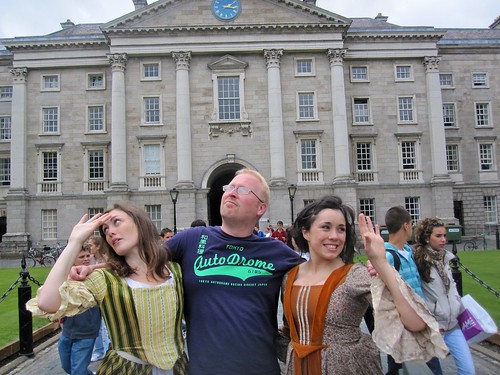
The picture below was taken on the Ha'penny Bridge as we were heading back from Jameson. The expression of the girl on the left is priceless.

Kalin on the Half Penny

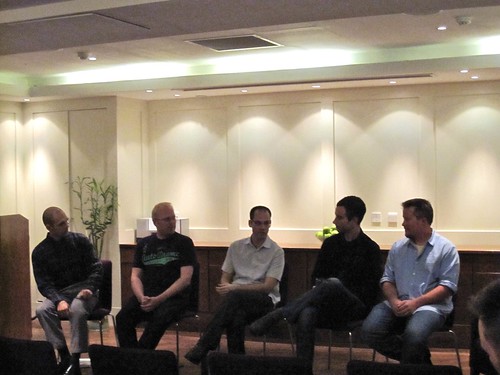
A couple hours later and I was delivering my talk on The Future of Web Frameworks. The crowd was lively; the Guinness I drank while talking was lovely. My session was followed by a Web Framework Experts Panel with Peter Ledbrook (Grails), Jamie van Dyke (Rails), Shay Friedman (ASP.NET MVC), Julian Fitzell (Seaside) and myself (Java Frameworks). The debate was good and there was much discussion about the right apps for each framework and how important statelessness is for scalable applications. After 3 hours of talking, my sister and I headed back to the hotel. I was particularly happy about the evening since it was the first time a family member of mine had seen me speak.

Correction from my Dad: This wasn't the first time a family member saw me speak. He attended my talk at ApacheCon EU 2007.

A block from the hotel, we spotted a nice looking pub (Doyles) and stopped in for a pint. As we bellied up to the end of the bar, we recognized Jamie (from the panel) and got introduced to his friend Rob. We quickly got lost in conversation, stories and laughter and were surprised when we discovered it was 2:30am. Since I had a talk first thing in the morning, we ducked out shortly after.

Web Framework Experts Panel Barry on Evangelist Night The Night we met Jamie and Rob

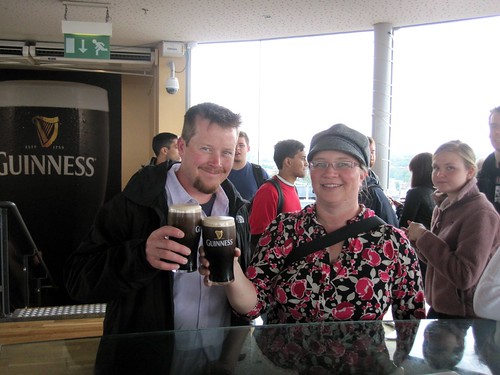
Thursday started with my talk Comparing Kick-Ass Web Frameworks. Then my sister and I did some more site-seeing, starting at the Guinness Storehouse. We met Josh and John Willis as they were leaving and they advised we go straight to The Gravity Bar at the top. We took there advise and were getting great views of Dublin and savoring sweet pints of Guinness moments later. The tour facility was freakin' awesome and I loved how it was shaped like a pint glass.

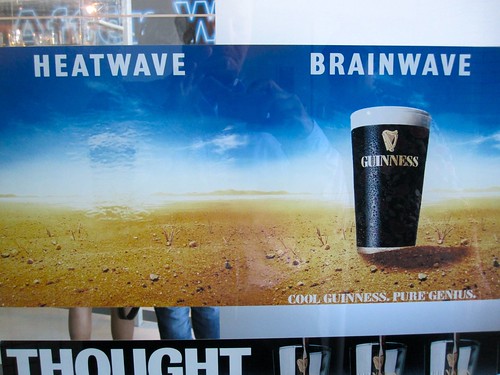
Straight to the top! Mmmmm, Guinness The Storehouse is shaped like a pint glass Brainwave

We grabbed some gear from the gift shopped and landed (by accident) at The Brazen Head (Ireland's Oldest Pub, Est. 1198) for a pint of cider and Guinness. Since my sister used to be in the cider business, she was particularly happy there was so much on tap in Ireland.

From the pub, we headed to John Willis's session on The Cambrian Cloud Explosion. Following John's session, we headed to the Speaker's Dinner for a very fun evening with the hosts and speakers of the conference.

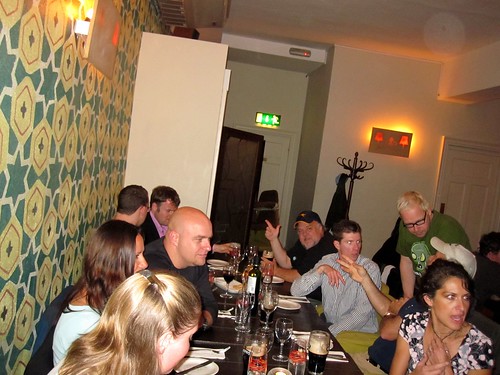
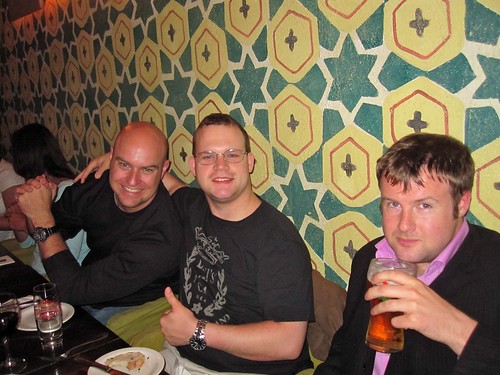
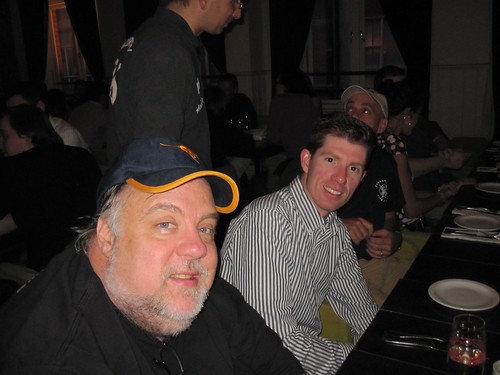
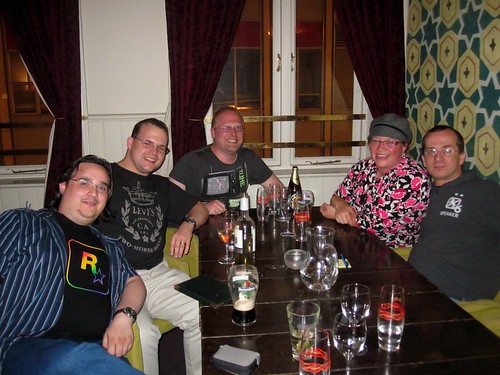
John Willis and Barry Alistair Speaker's Dinner at Irish Software Show 2010 Speaker's Dinner at Irish Software Show 2010 Speaker's Dinner at Irish Software Show 2010

Speaker's Dinner at Irish Software Show 2010 Speaker's Dinner at Irish Software Show 2010 Speaker's Dinner at Irish Software Show 2010

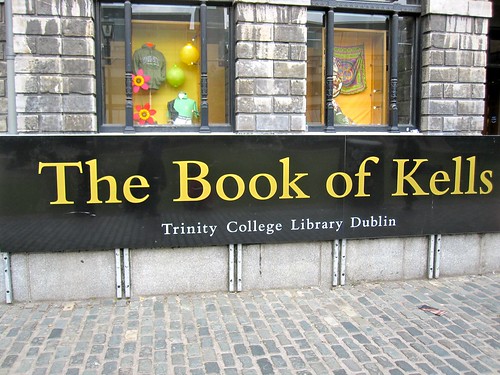
On Friday, we woke up in the early afternoon and quickly decided the Book of Kells was our best chance of getting some site seeing in. After visiting the Book of Kells, my favorite quote of the conference happened in the courtyard.

Josh looked at Jamie (with his bad hangover) and exclaimed, "My God Man. Your skin is so white it's hurting my eyes!". You probably had to be there (or know Josh) to enjoy the humor, but I wanted to capture the memory in this post so I could laugh whenever I read this in the future. After that, Jamie, Josh, Kalin and I enjoyed a Starbuck's patio talking about living in the South of France for a couple hours. Then we walked 2 blocks to the Porterhouse Brewing Co. to watch the World Cup and enjoy more interesting conversations.

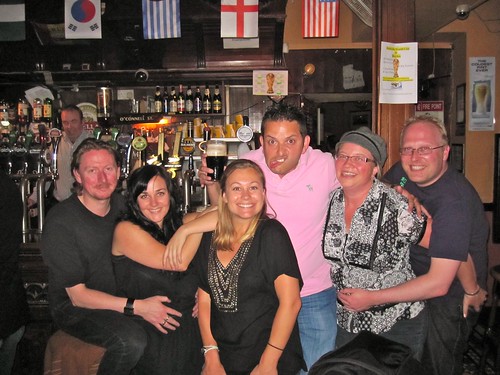
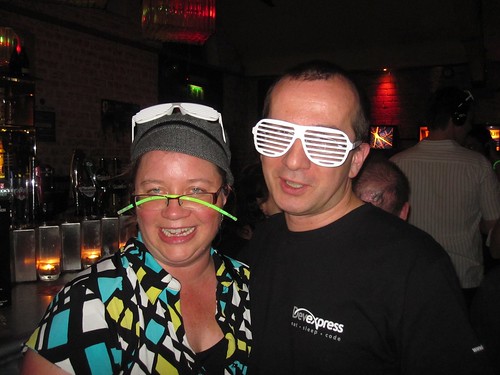
The Book of Kells Jamie with the Wenches Lovely Wenches Jamie and his Lady Drink

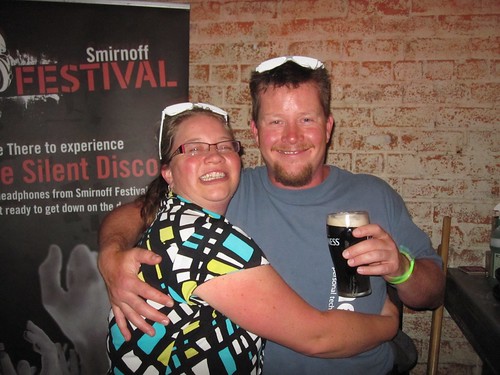
Jamie left the conference that evening and we joined a whole slew of other speakers for dinner at an excellent Lebanese restaurant near Temple Bar. Good times where had afterwards at a nearby Silent Disco.

Kalin and Craig Post Absinthe

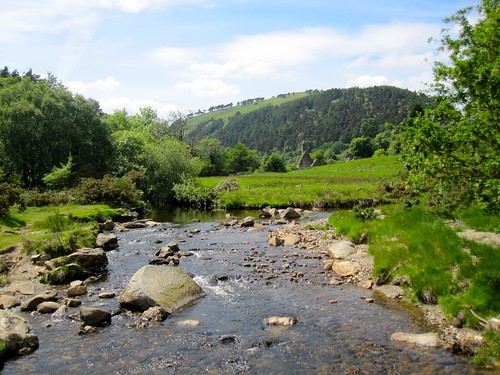
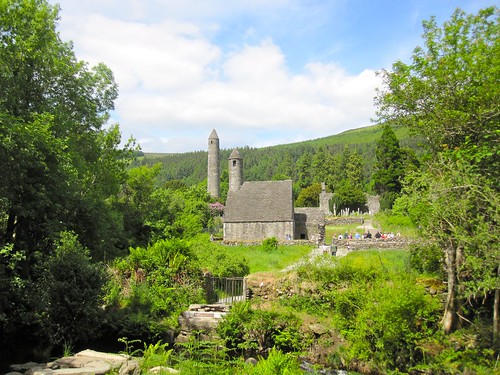
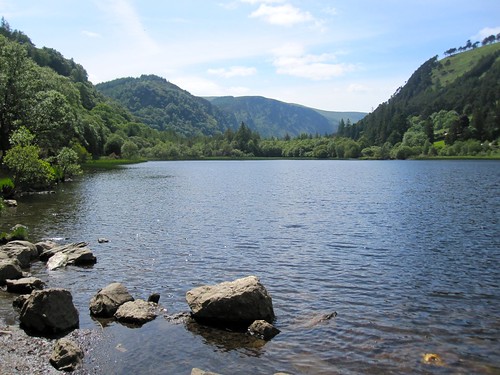
Saturday, we woke up early to catch a tour bus out to Glendalough with Josh and John. The bus ride was not pleasant, but the destination was spectacular. We hung out there for several hours, exploring the buildings, walking to the lake and humoring each other.

Glendalough Beautiful Views at Glendalough Glendalough Lower Lake at Glendalough

Our last night in Dublin was an early, relaxing one. As you can tell, I really enjoyed this trip, particularly hanging out with my sister and all the cool people we met. I can easily say that this trip registers as one of my favorite conference experiences to date.

To see all the pictures I took on this trip, check out my Irish Software Show 2010 set on Flickr.

Posted in Java at Jun 14 2010, 11:42:55 PM MDT Add a Comment

My Presentations from The Irish Software Show 2010

This week I've been enjoying Dublin, Ireland thanks to the 2nd Annual Irish Software Show. On Wednesday night, I spoke about The Future of Web Frameworks and participated in a panel with Grails, Rails, ASP.NET MVC and Seaside developers. It was a fun night with lots of lively discussion. Below is my presentation from this event.

This morning, I delivered my Comparing Kick-Ass Web Frameworks talk. This presentation contains updated statistics for various metrics comparing Rails vs. Grails and Flex vs. GWT.

Thanks to all who attended my talks this week!

P.S. I believe audio was recorded on Wednesday night, but I'm unsure how it turned out. I'm pretty sure no recordings were done on this morning's session.

Posted in Java at Jun 10 2010, 07:11:35 AM MDT 9 Comments

Running Selenium Tests on Sauce Labs

Recently I embarked on a mission to configure my team's Selenium testing process to support multiple browsers. We use Hudson for our continuous integration server. Since our Hudson instance runs on Solaris, testing with Firefox on Solaris didn't seem like a good representation of our clients. Our browser support matrix currently looks as follows:

Platform Browser
Supported
Windows IE7.x and 8.x, Firefox 2.x and 3.x
Mac Safari 3.x, 4.x
Best Effort
Windows and Mac Chrome 4.x

At first, I attempted to use Windows VMs to run Selenium tests on IE. This was a solution that didn't work too well. The major reasons it didn't work:

  1. I had issues getting the Selenium Plugin for Hudson working. Upgrading the plugin to use Selenium RC 1.0.5 may solve this issue.
  2. We had some unit tests that failed on Windows. I tried using the Cygpath Plugin for Hudson (which allows you to emulate a Unix environment on Windows), but failed to get it to work.
  3. We quickly realized it might become a maintenance nightmare to keep all the different VMs up-to-date.

Frustrated by these issues, I turned to Sauce Labs. They have a cloud-based model that runs Selenium tests on VMs that point back to your application. They also support many different browser/OS combinations. We asked them about support for OS X and various Windows versions and they indicated that their experience shows browsers are the same across OSes.

I'm writing this article to show you how we've configured our build process to support 1) testing locally and 2) testing on Sauce Labs. In a future post, I hope to write about how to run Selenium tests concurrently for faster execution.

Running Selenium Tests Locally
We use Maven to build our project and run our Selenium tests. Our configuration is very similar to the poms referenced in Integrating Selenium with Maven 2. Basically, we have an "itest" profile that gets invoked when we pass in -Pitest. It downloads/starts Tomcat (using Cargo), deploys our WAR, starts Selenium RC (using the selenium-maven-plugin) and executes JUnit-based tests using the maven-surefire-plugin. All of this configuration is pretty standard and something I've used on many projects over the past several years.

Beyond that, we have a custom BlockJUnit4ClassRunner class that takes screenshots and captures the HTML source for tests that fail.

public class SeleniumJUnitRunner extends BlockJUnit4ClassRunner {
    public SeleniumJUnitRunner(Class<?> klass) throws InitializationError {
        super(klass);
    }

    protected Statement methodInvoker(FrameworkMethod method, Object test) {
        if (!(test instanceof AbstractSeleniumTestCase)) {
            throw new RuntimeException("Only works with AbstractSeleniumTestCase");
        }

        final AbstractSeleniumTestCase stc = ((AbstractSeleniumTestCase) test);
        stc.setDescription(describeChild(method));

        return new InvokeMethod(method, test) {
            @Override
            public void evaluate() throws Throwable {
                try {
                    super.evaluate();
                } catch (Throwable throwable) {
                    stc.takeScreenshot("FAILURE");
                    stc.captureHtmlSource("FAILURE");
                    throw throwable;
                }
            }
        };
    }
}

To use the functionality SeleniumJUnitRunner provides, we have a parent class for all our tests. This class uses the @RunWith annotation as follows:

@RunWith(SeleniumJUnitRunner.class)
public abstract class AbstractSeleniumTestCase {
    // convenience methods
}

This class looks up the Selenium RC Server, the app location and what browser to use based on system properties. If system properties are not set, it has defaults for running locally.

public static String SERVER = System.getProperty("selenium.server");
public static String APP = System.getProperty("selenium.application");
public static String BROWSER = System.getProperty("selenium.browser");

protected Selenium selenium;

@Before
public void setUp() throws Exception {
    if (SERVER == null) {
        SERVER = "localhost";
    }

    if (BROWSER == null) {
        BROWSER = "*firefox3";
    }

    if (APP == null) {
        APP = "http://localhost:9000";
    }

    selenium = new DefaultSelenium(SERVER, 4444, BROWSER, APP);
    selenium.start("captureNetworkTraffic=true");
    selenium.getEval("window.moveTo(1,1); window.resizeTo(1021,737);");
    selenium.setTimeout("60000");
}


The system properties are specified as part of the surefire-plugin's configuration. The reason we default them in the above code is so tests can be run from IDEA as well.

<artifactId>maven-surefire-plugin</artifactId>
<version>2.5</version>
<configuration>
    <systemPropertyVariables>
        <selenium.application>${selenium.application}</selenium.application>
        <selenium.browser>${selenium.browser}</selenium.browser>
        <selenium.server>${selenium.server}</selenium.server>
    </systemPropertyVariables>
</configuration>

Running Selenium Tests in the Cloud
To run tests in the cloud, you have to do a bit of setup first. If you're behind a firewall, you'll need to setup SSH tunneling so Sauce Labs can see your machine. You'll also need to setup SSH Tunneling on your Hudson server, but installing/configuring/running locally is usually a good first step. Below are the steps I used to configure Sauce Labs' SSH Tunneling on OS X.

1. Install the Python version in /opt/tools/saucelabs. If you get an error (No local packages or download links found for install) download the egg and run it with:

sudo sh setuptools-0.6c11-py2.6.egg

NOTE: If you get an error (unable to execute gcc-4.2: No such file or directory) when installing pycrypto on OS X, you'll need to install the OS X Developer Tools.

2. Create a /opt/tools/saucelabs/local.sh script with the following in it. You should change the last parameter to use your username (instead of mraible) since Sauce Labs uses unique tunnel names.

python tunnel.py {sauce.username} {sauce.key} localhost 9000:80 mraible.local

3. Start the tunnel by executing local.sh. You should see output similar to the following.

$ sh local.sh 
/System/../Python.framework/../2.6/../twisted/internet/_sslverify.py:5: DeprecationWarning: the md5 module is deprecated; use hashlib instead
 import itertools, md5
/System/../Python.framework/../2.6/../twisted/conch/ssh/keys.py:13: DeprecationWarning: the sha module is deprecated; use the hashlib module instead
 import sha, md5
Launching tunnel ... 
Status: new
Status: booting
Status: running
Tunnel host: ec2-75-101-216-8.compute-1.amazonaws.com
Tunnel ID: 70f15fb59d2e7ebde55a6274ddfa54dd
<sshtunnel.TunnelTransport instance at 0x10217ad88> created
requesting remote forwarding for tunnel 70f15fb59d2e7ebde55a6274ddfa54dd 80=>localhost:9000
accepted remote forwarding for tunnel 70f15fb59d2e7ebde55a6274ddfa54dd 80=>localhost:9000

After setting up the SSH Tunnel, I modified AbstractSeleniumTestCase's setUp() method to allow running tests on Sauce Labs.

@Before
public void setUp() throws Exception {
    if (SERVER == null) {
        SERVER = "localhost";
    }

    if (BROWSER == null) {
        BROWSER = "*firefox3";
    } else if (BROWSER.split(":").length == 3) {
        String[] platform = BROWSER.split(":");

        String os = platform[0];
        String browser = platform[1];

        // if Google Chrome, don't use a version #
        String version = (platform[1].equals("googlechrome") ? "" : platform[2]);
        String printableVersion = ((version.length() > 0) ? " " + platform[2].charAt(0) : "");

        String jobName = description.getMethodName() + " [" + browser + printableVersion + "]";

        BROWSER = "{\"username\":\"{your-username}\",\"access-key\":\"{your-access-key}\"," +
                "\"os\":\"" + platform[0] + "\",\"browser\": \"" + platform[1] + "\"," +
                "\"browser-version\":\"" + version + "\"," +
                "\"job-name\":\"" + jobName + "\"}";

        log.debug("Testing with " + browser + printableVersion + " on " + os);
    }

    if (APP == null) {
        APP = "http://localhost:9000";
    }

    selenium = new DefaultSelenium(SERVER, 4444, BROWSER, APP);
    selenium.start("captureNetworkTraffic=true");
    selenium.getEval("window.moveTo(1,1); window.resizeTo(1021,737);");
    selenium.setTimeout("60000");
}

After making this change, I was able to run Selenium tests from IDEA using the following steps:

  1. Start Jetty on port 9000 (since that's what the tunnel points to). In IDEA's Maven panel, create a run/debug configuration for jetty:run, click the "Runner" tab and enter "-Djetty.port=9000" in the VM Parameters box.
  2. Right-click on the test to run and create a run/debug configuration. Enter the following in the VM Parameters box. The last two parameters allow skipping the xvfb and Selenium RC startup process.
    -Dselenium.browser="Windows 2003:iexplore:8." -Dselenium.application=mraible.local -Dselenium.server=saucelabs.com -Dxvfb.skip=true -Dselenium.server.skip=true

These same parameters can be used if you want to run all tests from the command line:

mvn install -Pitest -Dselenium.browser="Windows 2003:iexplore:8." -Dselenium.application=mraible.local -Dselenium.server=saucelabs.com -Dxvfb.skip=true -Dselenium.server.skip=true -Dcargo.port=9000

To simplify things, we create profiles for the various browsers. For example, below are profiles for IE8 and Firefox 3.6.

<profile>
    <id>firefox-win</id>
    <properties>
        <cargo.port>9000</cargo.port>
        <selenium.application>http://${user.name}.local</selenium.application>
        <selenium.browser>Windows 2003:firefox:3.6.</selenium.browser>
        <selenium.server>saucelabs.com</selenium.server>
        <selenium.server.skip>true</selenium.server.skip>
        <xvfb.skip>true</xvfb.skip>
    </properties>
</profile>
<profile>
    <id>ie-win</id>
    <properties>
        <cargo.port>9000</cargo.port>
        <selenium.application>http://${user.name}.local</selenium.application>
        <selenium.browser>Windows 2003:iexplore:8.</selenium.browser>
        <selenium.server>saucelabs.com</selenium.server>
        <selenium.server.skip>true</selenium.server.skip>
        <xvfb.skip>true</xvfb.skip>
    </properties>
</profile>

Issues
Since we've started using Sauce Labs, we've run into a number of issues. Some of these are Selenium-related and some are simply things we learned since we started testing on multiple browsers.

  • SSH Tunnels Keep Restarting This happens on our Hudson server that runs the tunnels as a service. This seems to happen daily and screws up our Hudson results because builds fail.
  • XPath vs. CSS Selectors One of the first things we noticed was that our IE tests were 2-3 times slower than the same tests on Firefox. We discovered this is because Internet Explorer has a very slow XPath engine. To fix this issue, it's recommended that ids or CSS Selectors be used whenever trying to locate elements. For more information on CSS Selectors and Selenium, see CSS Selectors in Selenium Demystified. To test CSS Selectors, I found Firefinder to be a very useful Firefox plugin. Note that many pseudo elements won't work in IE.
  • IE7 fails to initialize on Sauce Labs There's no errors in our JUnit reports, so we're not sure what's causing this. It could very well be bugs in our code/configuration, but IE8 works fine.
  • The Job Names on Sauce Labs don't get set correctly and often results in duplicate job names. This could certainly be related to my code. Finding videos that show failed tests is difficult when the job names aren't set correctly.
  • It would be slick if you could download the video of a failed test, similar to what we do by taking screenshots.
  • Google Chrome works on Sauce Labs, but I'm unable to get it working locally (on Windows or OS X). This seems to be a Selenium issue.
  • Safari 4 works, but when it fails, the screenshot shows a Safari can't find the file error. Since there's no real error to debug, it's difficult to figure out why the test fails. Since Safari 4 is not listed on platforms supported by Selenium, I'm unsure how to fix this.

Overall, Sauce Labs seems to work pretty well. However, in the process of messing with Hudson, build agents and Selenium infrastructure, it's become readily apparent that we need a team member to devote their full-attention to it. Having a developer or two work on it every now-and-then is inefficient, especially when we're still in the process of ironing everything out and making it all stable.

If you have any tips on how you've solved issues with Sauce Labs (ssh tunnels, IE7) or Selenium (Safari 4, Google Chrome), I'd love to hear them. I'm also interested to hear from anyone with experience running Selenium tests concurrently (locally or in the cloud).

Update: I discovered a bug in my AbstractSeleniumTest's setUp() method where job names weren't being set correctly. I've since changed the code in this class to the following:

private static String browser, printableVersion;

@BeforeClass
public static void parseBrowser() {

    if (BROWSER == null) {
        BROWSER = "*firefox3";
    } else if (BROWSER.split(":").length == 3) {
        String[] platform = BROWSER.split(":");

        String os = platform[0];
        browser = platform[1];

        // if Google Chrome, don't use a version #
        String version = (platform[1].equals("googlechrome") ? "" : platform[2]);
        printableVersion = ((version.length() > 0) ? " " + platform[2].charAt(0) : "");

        BROWSER = "{\"username\":\"{your-username}\",\"access-key\":\"{your-access-key}\"," +
                "\"os\":\"" + os + "\",\"browser\": \"" + browser + "\"," +
                "\"browser-version\":\"" + version + "\", " +
                "\"job-name\": \"jobName\"}";
    }
}

@Before
public void setUp() throws Exception {
    if (SERVER == null) {
        SERVER = "localhost";
    }

    if (APP == null) {
        APP = "http://localhost:9000";
    }

    String seleniumBrowser = BROWSER;
    if (BROWSER.startsWith("{")) { // sauce labs
        String jobName = description.getMethodName() + " [" + browser + printableVersion + "]";
        log.debug("=> Running job: " + jobName);

        seleniumBrowser = BROWSER.replace("jobName", jobName);
    }

    selenium = new DefaultSelenium(SERVER, 4444, seleniumBrowser, APP);
    selenium.start("captureNetworkTraffic=true");
    selenium.getEval("window.moveTo(1,1); window.resizeTo(1021,737);");
    selenium.setTimeout("60000");
}
Posted in Java at Jun 06 2010, 07:50:20 PM MDT 4 Comments

Versioning Static Assets with UrlRewriteFilter

A few weeks ago, a co-worker sent me interesting email after talking with the Zoompf CEO at JSConf.

One interesting tip mentioned was how we querystring the version on our scripts and css. Apparently this doesn't always cache the way we expected it would (some proxies will never cache an asset if it has a querystring). The recommendation is to rev the filename itself.

This article explains how we implemented a "cache busting" system in our application with Maven and the UrlRewriteFilter. We originally used querystring in our implementation, but switched to filenames after reading Souders' recommendation. That part was figured out by my esteemed colleague Noah Paci.

Our Requirements

  • Make the URL include a version number for each static asset URL (JS, CSS and SWF) that serves to expire a client's cache of the asset.
  • Insert the version number into the application so the version number can be included in the URL.
  • Use a random version number when in development mode (based on running without a packaged war) so that developers will not need to clear their browser cache when making changes to static resources. The random version number should match the production version number formats which is currently: x.y-SNAPSHOT-revisionNumber
  • When running in production, the version number/cachebust is computed once (when a Filter is initialized). In development, a new cachebust is computed on each request.

In our app, we're using Maven, Spring and JSP, but the latter two don't really matter for the purposes of this discussion.

Implementation Steps
1. First we added the buildnumber-maven-plugin to our project's pom.xml so the build number is calculated from SVN.

<plugin>
    <groupId>org.codehaus.mojo</groupId>
    <artifactId>buildnumber-maven-plugin</artifactId>
    <version>1.0-beta-4</version>
    <executions>
        <execution>
            <phase>validate</phase>
            <goals>
                <goal>create</goal>
            </goals>
        </execution>
    </executions>
    <configuration>
        <doCheck>false</doCheck>
        <doUpdate>false</doUpdate>
        <providerImplementations>
            <svn>javasvn</svn>
        </providerImplementations>
    </configuration>
</plugin>

2. Next we used the maven-war-plugin to add these values to our WAR's MANIFEST.MF file.

<plugin>
    <artifactId>maven-war-plugin</artifactId>
    <version>2.0.2</version>
    <configuration>
        <archive>
            <manifest>
                <addDefaultImplementationEntries>true</addDefaultImplementationEntries>
            </manifest>
            <manifestEntries>
                <Implementation-Version>${project.version}</Implementation-Version>
                <Implementation-Build>${buildNumber}</Implementation-Build>
                <Implementation-Timestamp>${timestamp}</Implementation-Timestamp>
            </manifestEntries>
        </archive>
    </configuration>
</plugin>

3. Then we configured a Filter to read the values from this file on startup. If this file doesn't exist, a default version number of "1.0-SNAPSHOT-{random}" is used. Otherwise, the version is calculated as ${project.version}-${buildNumber}.

private String buildNumber = null;

...
@Override
public void initFilterBean() throws ServletException {
    try {
        InputStream is = 
            servletContext.getResourceAsStream("/META-INF/MANIFEST.MF");
        if (is == null) {
            log.warn("META-INF/MANIFEST.MF not found.");
        } else {
            Manifest mf = new Manifest();
            mf.read(is);
            Attributes atts = mf.getMainAttributes();
            buildNumber = atts.getValue("Implementation-Version") + "-" + atts.getValue("Implementation-Build");
            log.info("Application version set to: " + buildNumber);
        }
     } catch (IOException e) {
        log.error("I/O Exception reading manifest: " + e.getMessage());
     }
}

...

    // If there was a build number defined in the war, then use it for
    // the cache buster. Otherwise, assume we are in development mode 
    // and use a random cache buster so developers don't have to clear 
    // their browswer cache.
    requestVars.put("cachebust", buildNumber != null ? buildNumber : "1.0-SNAPSHOT-" + new Random().nextInt(100000));

4. We then used the "cachebust" variable and appended it to static asset URLs as indicated below.

<c:set var="version" scope="request" 
    value="${requestScope.requestConfig.cachebust}"/>
<c:set var="base" scope="request"
    value="${pageContext.request.contextPath}"/>

<link rel="stylesheet" type="text/css" 
    href="${base}/v/${version}/assets/css/style.css" media="all"/>

<script type="text/javascript" 
    src="${base}/v/${version}/compressed/jq.js"></script>

The injection of /v/[CACHEBUSTINGSTRING]/(assets|compressed) eventually has to map back to the actual asset (that does not include the two first elements of the URI). The application must remove these two elements to map back to the actual asset. To do this, we use the UrlRewriteFilter. The UrlRewriteFilter is used (instead of Apache's mod_rewrite) so when developers run locally (using mvn jetty:run) they don't have to configure Apache.

5. In our application, "/compressed/" is mapped to wro4j's WroFilter. In order to get UrlRewriteFilter and WroFilter to work with this setup, the WroFilter has to accept FORWARD and REQUEST dispatchers.

<filter-mapping>
    <filter-name>rewriteFilter</filter-name>
    <url-pattern>/*</url-pattern>
</filter-mapping>

<filter-mapping>
    <filter-name>WebResourceOptimizer</filter-name>
    <url-pattern>/compressed/*</url-pattern>
    <dispatcher>FORWARD</dispatcher>
    <dispatcher>REQUEST</dispatcher>
</filter-mapping>

Once this was configured, we added the following rules to our urlrewrite.xml to allow rewriting of any assets or compressed resource request back to its "correct" URL.

<rule match-type="regex">
    <from>^/v/[0-9A-Za-z_.\-]+/assets/(.*)$</from>
    <to>/assets/$1</to>
</rule>
<rule match-type="regex">
    <from>^/v/[0-9A-Za-z_.\-]+/compressed/(.*)$</from>
    <to>/compressed/$1</to>
</rule>
<rule>
    <from>/compressed/**</from>
    <to>/compressed/$1</to>
</rule>

Of course, you can also do this in Apache. This is what it might look like in your vhost.d file:

RewriteEngine    on
RewriteLogLevel  0!
RewriteLog       /srv/log/apache22/app_rewrite_log
RewriteRule      ^/v/[.A-Za-z0-9_-]+/assets/(.*) /assets/$1 [PT]
RewriteRule      ^/v/[.A-Za-z0-9_-]+/compressed/(.*) /compressed/$1 [PT]

Whether it's a good idea to implement this in Apache or using the UrlRewriteFilter is up for debate. If we're able to do this with the UrlRewriteFilter, the benefit of doing this at all in Apache is questionable, especially since it creates a duplicate of code.

Posted in Java at Jun 04 2010, 09:27:42 AM MDT 4 Comments