Matt RaibleMatt Raible is a writer with a passion for software. Connect with him on LinkedIn.

The Angular Mini-Book The Angular Mini-Book is a guide to getting started with Angular. You'll learn how to develop a bare-bones application, test it, and deploy it. Then you'll move on to adding Bootstrap, Angular Material, continuous integration, and authentication.

Spring Boot is a popular framework for building REST APIs. You'll learn how to integrate Angular with Spring Boot and use security best practices like HTTPS and a content security policy.

For book updates, follow @angular_book on Twitter.

The JHipster Mini-Book The JHipster Mini-Book is a guide to getting started with hip technologies today: Angular, Bootstrap, and Spring Boot. All of these frameworks are wrapped up in an easy-to-use project called JHipster.

This book shows you how to build an app with JHipster, and guides you through the plethora of tools, techniques and options you can use. Furthermore, it explains the UI and API building blocks so you understand the underpinnings of your great application.

For book updates, follow @jhipster-book on Twitter.

10+ YEARS


Over 10 years ago, I wrote my first blog post. Since then, I've authored books, had kids, traveled the world, found Trish and blogged about it all.

User Interface Schema Definitions

On my current project, we're developing a "designer" tool that allows users to build forms in their browser. These forms are displayed in various channels (e.g. web, mobile, sms) to capture data and make decisions based on user input.

When I joined the project, it was in a proof-of-concept phase and the form definitions created where serialized as XML (using JAXB) with element names that seemed logical. Now that we're moving the PoC to production mode, we're thinking it might be better to change our form definitions to leverage something that's more "industry standard". If nothing else, it'll help with marketing. ;-)

This week, I was tasked with doing research on "existing user interface schema definitions". I'm writing this post to see if there's any major specifications I'm missing. I plan on providing my recommendation to my team on Monday. Here's what I've found so far:

  • User Interface Markup Language (UIML): At 120 pages, the 4.0 spec seems very detailed. I'm not sure we'd use all of it, but it's interesting how the spec allows you to describe the initial tree structure (<structure>) and to dynamically modify its structure (<restructure>). It also has the notion of templates, which mirrors a similar concept we have in our application. Furthermore, it has VoiceXML support, which could be useful if we use call centers as a channel.
  • USer Interface eXtensible Markup Language (UsiXML): I admit that I haven't read much of this specification -- mostly because the UIML spec seemed to cover most of what we needed (especially since we're most interested in describing forms). As far as a I can tell, the major difference between UsiXML is its being submitted to the W3C for standardization (according to Wikipedia), while UIML is being standardized by OASIS. Beyond that, I find it strange that UIML's spec is 120 pages and UsiXML is 121. Neither project seems to have any activity this year.
  • Numerous others: including AAIML, AUIML, XIML, XUL, XAML and XForms. XForms seems like it may be the most logical if we're only interested in form layout and describing elements within them.

If all we're interested in is an XSD to define our forms, the most appealing specs have them: UIML, UsiXML and XForms. If activity is any sort of motivator for adoption, it's interesting to note that XForms 1.1 was submitted as a W3C recommendation a couple weeks ago (October 20, 2009).

If you've developed some sort of "form designer" tool that renders to multiple channels, I'd love to hear about your experience. Did you use some sort of industry standard to define your form elements, layout, etc. or did you come up with your own?

Posted in The Web at Nov 06 2009, 03:18:25 PM MST 4 Comments

Consulting, SOFEA, Grails and GWT at next week's Denver JUG

Next Wednesday, I'll be at Denver's JUG meeting to talk about Independent Consulting and Building SOFEA Applications with Grails and GWT. The first talk will be a a panel discussion among local independent consultants, including James Goodwill, Matthew McCullough, Tim Berglund and myself.

This session explores the trials and tribulations of an independent consultant. How do you find contracts? Should you setup an LLC, an S-Corp or just be a sole proprietorship? What about health insurance and benefits? Are recruiters helpful or hurtful? Learn lots of tips and tricks to get your dream job and your ideal lifestyle.

The Grails and GWT talk is a preview of a talk I'll be doing at the Rich Web Experience in December. Below is a rewrite of the abstract in first-person.

Earlier this year, I participated in a major enhancement of a high-traffic well-known internet site. The company wanted us to quickly re-architect their site and use a modern Ajax framework to do it with. An Ajax Framework evaluation was done to help the team choose the best framework for their skillset. The application was built with a SOFEA architecture using GWT on the frontend and Grails/REST on the backend.

This talk will cover how Bryan Noll, Scott Nicholls, James Goodwill and I came to choose GWT and Grails, as well as stumbling blocks we encountered along the way. In addition, we'll explore many topics such as raw GWT vs. GXT/SmartGWT, the Maven GWT Plugin, modularizing your code, multiple EntryPoints, MVP, integration testing and JSON parsing with Overlay Types.

If you're in Denver next Wednesday night (November 11th), you should stop by the Denver JUG meeting. It'll be a fun night and there's sure to be a few beers afterward. ;-)

Posted in Java at Nov 05 2009, 10:52:37 PM MST 5 Comments

Happy Birthday Abbie!

Today marks the 7th anniversary of Abbie's Birthday. Happy Birthday Kiddo!

Abbie at 7

I have to say that this year is quite a bit better than last year, especially since I got laid off on her birthday last year. ;-)

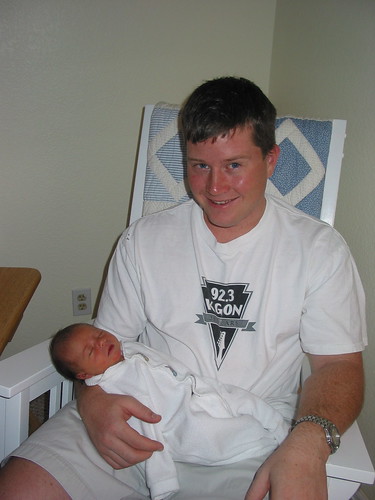
To commemorate this special occasion, I pulled out some pictures from the archives. Here's one of her and I on her first weekend, as well as her first cheerleader outfit.

Abbie and I on her first weekend Abbie's First Cheerleader Outfit

To see how Abbie has grown up over the years, see past Happy Birthday posts: #1, #3, #4, #5 and #6.

Posted in General at Nov 05 2009, 11:22:06 AM MST 2 Comments

Testing GWT Libraries with Selenium and Maven

On Tuesday, I wrote about Running Hosted Mode in GWT Libraries. Today I added an additional module to our project to run Selenium tests against our GWT library. In the process, I discovered some things I needed to modify in my GWT library's pom.xml. I'm writing this post so others can use this setup to write GWT libraries and package them for testing with Selenium.

First of all, I noticed that when you're using the GWT Maven Plugin with a JAR project, it doesn't automatically run gwt:compile or gwt:test in the compile and test phases. I had to explicitly configure the compile goal to run in the compile phase. I also had to add <webappDirectory> to the configuration to compile the JavaScript files into the war directory.

<plugin>
    <groupId>org.codehaus.mojo</groupId>
    <artifactId>gwt-maven-plugin</artifactId>
    <version>1.1</version>
    <configuration>
        <module>org.appfuse.gwt.core.CoreUI</module>
        <runTarget>index.html</runTarget>
        <webappDirectory>war</webappDirectory>
    </configuration>
    <executions>
        <execution>
            <phase>compile</phase>
            <goals>
                <goal>compile</goal>
            </goals>
        </execution>
    </executions>
</plugin>

To package the generated JavaScript and index.html in the JAR, I added the following <resources> section to the maven-resources-plugin configuration I mentioned in my previous post.

<resource>
    <directory>war</directory>
    <includes>
        <include>core.ui/**</include>
        <include>index.html</include>
    </includes>
</resource>

In addition, I discovered some javax.servlet.* classes in my JAR after running "mvn package". I believe this is caused by the GWT plugin sucking these in when it compiles my ProxyServlet. I excluded them by adding the maven-jar-plugin.

<plugin>
    <artifactId>maven-jar-plugin</artifactId>
    <configuration>
        <excludes>
            <exclude>javax/servlet/**</exclude>
        </excludes>
    </configuration>
</plugin>

After doing this, I was able to publish my JAR with all the contents I needed to run Selenium tests against it.

Testing the GWT Library with Selenium
The module that contains the Selenium tests is a WAR project that uses war overlays, Cargo and Selenium RC. You can read about the Maven setup I use for running Selenium tests in Packaging a SOFEA Application for Distribution.

The major difference when testing a JAR (vs. a WAR), is I had to use the maven-dependency-plugin to unpack the JAR so its contents would get included in the WAR for testing. Below is the configuration I used to accomplish this:

<plugin>
    <artifactId>maven-dependency-plugin</artifactId>
    <executions>
        <execution>
            <id>unpack</id>
            <phase>generate-sources</phase>
            <goals>
                <goal>unpack</goal>
            </goals>
            <configuration>
                <artifactItems>
                    <artifactItem>
                        <groupId>org.appfuse</groupId>
                        <artifactId>gwt-core</artifactId>
                        <version>1.0-SNAPSHOT</version>
                        <type>jar</type>
                        <overWrite>false</overWrite>
                        <excludes>META-INF/**,org/**,javax/**</excludes>
                    </artifactItem>
                </artifactItems>
                <outputDirectory>
                    ${project.build.directory}/${project.build.finalName}
                </outputDirectory>
            </configuration>
        </execution>
    </executions>
</plugin>

Hopefully this will help you develop GWT libraries and run Selenium tests against them. If you have any suggestions for simplifying this configuration, please let me know.

NOTE: I did considering a couple of other options for running Selenium tests against our GWT library:

  1. Add something to the existing project that 1) creates a WAR and 2) fires up Cargo/Selenium in a profile to test it.
  2. Create the tests in a GWT (war) project that includes widgets from the library.

I decided on the solution documented above because it seemed like the best option.

Posted in Java at Nov 04 2009, 10:09:27 PM MST 2 Comments

A Letter to the AppFuse Community

The last AppFuse release was way back in May 2008. Many folks have asked when the next release would be ever since. Often, I've said "sometimes this quarter", but obviously, that's never happened. For that, I apologize.

There are many reasons I haven't worked on AppFuse for the past 18 months, but it mostly comes down to the fact that I didn't make time for it. The good news is I'm working on it again and will have a release out sometime this month. Unfortunately, it probably won't be a 2.1 final release, but there's so many things that've changed, I feel like a milestone release is a good idea. Here's a brief summary of changes so far:

  • Changed archetypes to include all source and tests for the "webapp" portion of the application. No more warpath plugin, merging wars and IDE issues. Using "mvn jetty:run" should work as expected.
  • Moved from Spring XML to Annotations.
  • AppFuse Light converted to Maven modules and now depends on AppFuse's backend.
  • Published easier to use archetype selection form in the QuickStart Guide.
  • Published archetype selection form for AppFuse Light. I do plan on combining these forms as soon as I figure out the best UI and instructions for users to choose AppFuse or AppFuse Light.
  • Upgraded all libraries to latest released versions (Spring 3 hasn't had a final release yet).
  • Upgraded to Tapestry 5 thanks to Serge Eby. I still need to complete tests and code generation for tests.
  • Added Compass support thanks to a patch from Shay Banon.
  • Upgraded from XFire to CXF for Web Services.
  • Moved Maven repository to Sonatype's OSS Repository Hosting for snapshots and releasing to Maven Central. There are no longer any AppFuse-specific artifacts, all are available in central.

I realize there's many full-stack frameworks that do the same thing as AppFuse with less code. Examples include Ruby on Rails, Grails, Seam, Spring Roo and the Play framework. However, there seems to be quite a few folks that continue to use AppFuse and it stills serves the community as a nice example of how to integrate frameworks. Furthermore, it helps me keep up with the latest framework releases, their quirks and issues that happen when you try to integrate them. In short, working on it helps me stay up to speed with Java open source frameworks.

For those folks that like the 1.x, Ant-based version of AppFuse, there will not be a 1.9.5 release. I know I promised it for years, but it's simply something I will not use, so I'd rather not invest my time in it. I'm sorry for lying to those that expected it.

So what's the future of AppFuse? Will it continue to integrate web frameworks with Spring and popular persistence frameworks? Possibly, but it seems more logical to align it with the types of Ajax + REST applications I'm creating these days. I'm currently thinking AppFuse 3.0 would be nice as a RESTful backend with GWT and Flex UIs. I might create the backend with CXF, but it's possible I'd use one of the frameworks mentioned above and simply leverage it to create the default features AppFuse users have come to expect.

More than anything, I'm writing this letter to let you know that the AppFuse project is not dead and you can expect a release in the near future.

Thanks for your support,

Matt

Posted in Java at Nov 04 2009, 12:17:17 AM MST 44 Comments

Running Hosted Mode in GWT Libraries (when using Maven)

Earlier this year, I wrote about Modularizing GWT Applications with GWT-Maven. Fast forward 8 months and I'm still working with GWT and using this same technique. However, this time I'm working with the Maven GWT Plugin from Codehaus. In my last post, I wrote:

The results of modularizing your application are beneficial (shared code) and detrimental (you have to mvn install gwt-core whenever you make changes in shared classes). If you know of a way to configure the gwt-maven plugin to read sources from both gwt-core and gwt-webapp in hosted mode, I'd love to hear about it.

The good news is I found a solution for this, using the Builder Helper Maven Plugin. The GWT Maven Plugin's Productivity tip for multi-project setup has more information on how to configure this (note: we use IntelliJ and Eclipse on my project and did not need to configure this in a profile).

All was fine and dandy with this configuration until I wanted to be able to run hosted mode to develop/test everything in my library before including it in my main project. Luckily, you can still run mvn gwt:run on a JAR project. However, when you configure your pom.xml so sources are included in your JAR, you run into an issue: your *.java files will be copied to war/WEB-INF/classes and hosted mode will use these files as source rather than the ones you're editing in src/main/java.

To solve this, I changed my pom.xml to do two things:

  • Only copy resources right before packaging (in the test phase).
  • When packaging is complete, delete the *.java files from war/WEB-INF/classes (using Ant).

Below is the XML I used to make this possible. Please let me know if you have a way to simplify this configuration.

<plugin>
    <artifactId>maven-resources-plugin</artifactId>
    <version>2.4.1</version>
    <executions>
        <execution>
            <phase>test</phase>
            <goals>
                <goal>copy-resources</goal>
            </goals>
            <configuration>
                <outputDirectory>${project.build.outputDirectory}</outputDirectory>
                <resources>
                    <resource>
                        <directory>src/main/java</directory>
                    </resource>
                    <resource>
                        <directory>src/main/resources</directory>
                    </resource>
                </resources>
            </configuration>
        </execution>
    </executions>
</plugin>
<plugin>
    <artifactId>maven-antrun-plugin</artifactId>
    <version>1.3</version>
    <executions>
        <execution>
            <phase>package</phase>
            <goals>
                <goal>run</goal>
            </goals>
            <configuration>
                <tasks>
                    <delete>
                        <fileset dir="${project.build.outputDirectory}" includes="**/*.java"/>
                    </delete>
                </tasks>
            </configuration>
        </execution>
    </executions>
</plugin>

This solution seems to work pretty well. As far as developing your library in hosted mode, you'll need to configure two *.gwt.xml files, one that doesn't have an <entry-point> defined and one that does. Configure the one with the entry point as the <module> in your gwt-maven-plugin configuration.

As a side note, I found a few issues with the 1.1 version of the Maven GWT Archetype. Below are the steps I used to fix these issues and upgrade to GWT 1.7.0 (I realize 1.7.1 is out, but gwt-dev-1.7.1-mac.jar doesn't exist in Maven central).

First, create a new project by running the following from the command line:

mvn archetype:generate \
  -DarchetypeGroupId=org.codehaus.mojo \
  -DarchetypeArtifactId=gwt-maven-plugin \
  -DarchetypeVersion=1.1 \
  -DgroupId=com.yourcompany \
  -DartifactId=gwt-project -Dversion=1.0-SNAPSHOT -B

After creating the project, you'll need to modify the pom.xml as follows:

  1. Change the gwt-maven-plugin's version to 1.1.
  2. Change the ${gwtVersion} property to 1.7.0.
  3. Add <runTarget>Application.html</runTarget> to the <configuration> element of the plugin.
  4. Move Application.html and web.xml so they're under the "war" directory.
  5. Update Application.html to prepend the GWT module name in the <script> tag.

I hope these instructions help you create modular GWT projects with Maven. This setup is working great on my current project.

Posted in Java at Nov 03 2009, 09:37:07 AM MST 3 Comments

Developing and Testing GWT Client Services

Earlier this week, Hiram Chirino released RestyGWT, a GWT generator for REST services and JSON encoded data transfer objects. You can read more about it in Hiram's post RestyGWT, a Better GWT RPC??. First of all, I'm impressed with RestyGWT because provides something I've always wanted with GWT: the ability to call RESTful services and get a populated POJO in your callback, much like AsyncCallback provides for RPC services.

RestyGWT also allows you to easily create services using only interfaces and JAX-RS annotations. For example:

import javax.ws.rs.POST;
...
public interface PizzaService extends RestService {
    @POST
    public void order(PizzaOrder request, MethodCallback<OrderConfirmation> callback);
}

After taking a brief look at RestyGWT, I thought it'd be interesting to share how I develop and test GWT client services.

Developing GWT Client Services
Writing services in a GWT application can be helpful when you're using MVP, especially since you can EasyMock them in a test. On my GWT projects, I've often used overlay types because they allow me to write less code and they make parsing JSON super simple. I've had issues testing my presenters when using overlay types. The good news is I think I've figured out a reasonable solution, but it does require using GWTTestCase. If RestyGWT supported overlay types, there's a good chance I'd use it, especially since its integration tests seem to require GWTTestCase too.

Rather than using callbacks in my presenters, I try to only use them in my service implementations. That way, my presenters don't have to worry about overlay types and can be tested in a JUnit-only fashion. The callbacks in my services handle JSON parsing/object population and fire events with the populated objects.

GWT's RequestBuilder is one option for communicating with RESTful services. The Development Guide for HTTP Requests explains how to use this class. To simplify REST requests and allow multiple callbacks, I'm using a RestRequest class, and a number of other utility classes that make up a small GWT REST framework (created by a former colleague). RestRequest wraps RequestBuilder and provides a Fluent API for executing HTTP requests. Another class, Deferred, is a GWT implementation of Twisted's Deferred.

As part of my service implementation, I inject an EventBus (with GIN) into the constructor and then proceed to implement callbacks that fire Events to indicate loading, saving and deleting has succeeded. Here's an example service:

public class ConversationServiceImpl implements ConversationService {
    private EventBus eventBus;

    @Inject
    public ConversationServiceImpl(EventBus eventBus) {
        this.eventBus = eventBus;
    }

    public void getConversation(String name) {
        Deferred<Representation> d =
                RestRequest.get(URLs.CONVERSATION + "/" + URL.encode(name)).build();

        d.addCallback(new Callback<Representation>() {
            public void onSuccess(Representation result) {
                Conversation conversation = convertResultToConversation(result);
                eventBus.fireEvent(new ResourceLoadedEvent<Conversation>(conversation));
            }
        });

        d.run();
    }

    public void saveConversation(Conversation conversation) {
        Deferred<Representation> d = RestRequest.post(URLs.CONVERSATION)
                .setRequestData(conversation.toJson()).build();
        
        d.addCallback(new Callback<Representation>() {
            public void onSuccess(Representation result) {
                Conversation conversation = convertResultToConversation(result);
                eventBus.fireEvent(new ResourceSavedEvent<Conversation>(conversation));
            }
        });

        d.run();
    }

    public void deleteConversation(Long id) {
        Deferred<Representation> d =
                RestRequest.post(URLs.CONVERSATION + "/" + id).build();

        d.addCallback(new Callback<Representation>() {
            public void onSuccess(Representation result) {
                eventBus.fireEvent(new ResourceDeletedEvent());
            }
        });

        d.run();
    }

    /**
     * Convenience method to populate object in one location
     *
     * @param result the result of a resource request.
     * @return the populated object.
     */
    private Conversation convertResultToConversation(Representation result) {
        JSOModel model = JSOModel.fromJson(result.getData());
        return new Conversation(model);
    }
}

In the saveConversation() method you'll notice the conversation.toJson() method call. This method uses a JSON class that loops through an objects properties and constructs a JSON String.

public JSON toJson() {
    return new JSON(getMap());
}

Testing Services
In my experience, the hardest part about using overlay types is writing your objects so they get populated correctly. I've found that writing tests which read JSON from a file can be a great productivity boost. However, because of overlay types, you have to write a test that extends GWTTestCase. When using GWTTestCase, you can't simply read from the filesystem. The good news is there is a workaround where you can subclass GWTShellServlet and overwrite GWT's web.xml to have your own servlet that can read from the filesystem. A detailed explanation of how to do this was written by Alex Moffat in Implementing a -noserver flag for GWTTestCase.

Once this class is in place, I've found you can easily write services using TDD and the server doesn't even have to exist. When constructing services, I've found the following workflow to be the most productive:

  1. Create a file with the expected JSON in src/test/resources/resource.json where resource matches the last part of the URL for your service.
  2. Create a *ServiceGwtTest.java and write tests.
  3. Run tests to make sure they fail.
  4. Implement the service and run tests to ensure JSON is getting consumed/produced properly to/from model objects.

Below is the code for my JsonReaderServlet.java:

public class JsonReaderServlet extends GWTShellServlet {

    public void service(ServletRequest servletRequest, ServletResponse servletResponse)
            throws ServletException, IOException {

        HttpServletRequest req = (HttpServletRequest) servletRequest;
        HttpServletResponse resp = (HttpServletResponse) servletResponse;

        String uri = req.getRequestURI();
        if (req.getQueryString() != null) {
            uri += "?" + req.getQueryString();
        }

        if (uri.contains("/services")) {
            String method = req.getMethod();
            String output;

            if (method.equalsIgnoreCase("get")) {
                // use the part after the last slash as the filename
                String filename = uri.substring(uri.lastIndexOf("/") + 1, uri.length()) + ".json";
                System.out.println("loading: " + filename);
                String json = readFileAsString("/" + filename);
                System.out.println("loaded json: " + json);
                output = json;
            } else {
                // for posts, return the same body content
                output = getBody(req);
            }

            PrintWriter out = resp.getWriter();
            out.write(output);
            out.close();

            resp.setStatus(HttpServletResponse.SC_OK);
        } else {
            super.service(servletRequest, servletResponse);
        }
    }

    private String readFileAsString(String filePath) throws IOException {
        filePath = getClass().getResource(filePath).getFile();
        BufferedReader reader = new BufferedReader(new FileReader(filePath));
        return getStringFromReader(reader);
    }

    private String getBody(ServletRequest request) throws IOException {
        BufferedReader reader = new BufferedReader(new InputStreamReader(request.getInputStream()));
        return getStringFromReader(reader);
    }

    private String getStringFromReader(Reader reader) throws IOException {
        StringBuilder sb = new StringBuilder();
        char[] buf = new char[1024];
        int numRead;
        while ((numRead = reader.read(buf)) != -1) {
            sb.append(buf, 0, numRead);
        }
        reader.close();
        return sb.toString();
    }
}

This servlet is mapped to <url-pattern>/*</url-pattern> in a web.xml file in src/test/resources/com/google/gwt/dev/etc/tomcat/webapps/ROOT/WEB-INF.

My Service Test starts by getting an EventBus from GIN and registering itself to handle the fired events.

public class ConversationServiceGwtTest extends AbstractGwtTestCase
        implements ResourceLoadedEvent.Handler, ResourceSavedEvent.Handler, ResourceDeletedEvent.Handler {
    ConversationService service;
    ResourceLoadedEvent<Conversation> loadedEvent;
    ResourceSavedEvent<Conversation> savedEvent;
    ResourceDeletedEvent deletedEvent;

    @Override
    public void gwtSetUp() throws Exception {
        super.gwtSetUp();
        DesigntimeGinjector injector = GWT.create(MyGinjector.class);
        EventBus eventBus = injector.getEventBus();
        service = new ConversationServiceImpl(eventBus);
        eventBus.addHandler(ResourceLoadedEvent.ENGINE, this);
        eventBus.addHandler(ResourceSavedEvent.ENGINE, this);
        eventBus.addHandler(ResourceDeletedEvent.ENGINE, this);
    }

    @SuppressWarnings("unchecked")
    public void onLoad(ResourceLoadedEvent event) {
        this.loadedEvent = event;
    }

    @SuppressWarnings("unchecked")
    public void onSave(ResourceSavedEvent event) {
        this.savedEvent = event;
    }

    public void onDelete(ResourceDeletedEvent event) {
        this.deletedEvent = event;
    }
}

After this groundwork has been done, a test can be written that loads up the JSON file and verifies the objects are populated correctly.

public void testGetConversation() {

    service.getConversation("test-conversation");

    Timer t = new Timer() {
        public void run() {
            assertNotNull("ResourceLoadedEvent not received", loadedEvent);
            Conversation conversation = loadedEvent.getResource();
            assertEquals("Conversation name is incorrect","Test Conversation", conversation.getName());

            assertNotNull("Conversation has no channel", conversation.getChannel());
            assertEquals("Conversation has incorrect task size", 3, conversation.getTasks().size());

            convertToAndFromJson(conversation);
            finishTest();
        }
    };

    delayTestFinish(3000);
    t.schedule(100);
}

private void convertToAndFromJson(Conversation fromJsonModel) {
    Representation json = fromJsonModel.toJson();
    assertNotNull("Cannot convert empty JSON", json.getData());

    // change back into model
    JSOModel data = JSOModel.fromJson(json.getData());
    Conversation toJsonModel = new Conversation(data);
    verifyModelBuiltCorrectly(toJsonModel);
}

private void verifyModelBuiltCorrectly(Conversation model) {
    assertEquals("Conversation name is incorrect", "Test Conversation", model.getString("name"));
    assertEquals("Conversation has incorrect task size", 3, model.getTasks().size());
    assertEquals("Conversation channel is incorrect", "Web", model.getChannel().getString("type"));
}

For more information on the usage of the Timer, finishTest() and delayTestFinish(), see GWTTestCase's javadoc.

The tests for saving and deleting a resource look as follows:

public void testSaveConversation() {
    Conversation conversation = new Conversation().setName("Test").setId("1");

    List<Task> tasks = new ArrayList<Task>();
    for (int i = 1; i < 4; i++) {
        tasks.add(new Task().setName("Task " + i));
    }
    conversation.setTasks(tasks);

    System.out.println("conversation.toJson(): " + conversation.toJson());

    assertTrue(conversation.toJson().toString().contains("Task 1"));

    service.saveConversation(conversation);

    Timer t = new Timer() {
        public void run() {
            assertNotNull("ResourceSavedEvent not received", savedEvent);
            finishTest();
        }
    };

    delayTestFinish(3000);
    t.schedule(100);
}
  
public void testDeleteConversation() {
    service.deleteConversation(1L);

    Timer t = new Timer() {
        public void run() {
            assertNotNull("ResourceDeletedEvent not received", deletedEvent);
            finishTest();
        }
    };

    delayTestFinish(3000);
    t.schedule(100);
}

Summary
This article has shown you how I develop and test GWT Client Services. If RestyGWT supported overlay types, there's a good chance I could change my service implementation to use it and I wouldn't have to change my test. Robert Cooper, author of GWT in Practice, claims he has a framework that does this. Here's to hoping this article stimulates the GWT ecosystem and we get a GWT REST framework that's as easy to use as GWT RPC.

Update: Today I enhanced this code to use Generics-based classes (inspired by Don't repeat the DAO!) for the boiler-plate CRUD code in a service. In a nutshell, a service interface can now be written as:

public interface FooService extends GenericService<Foo, String> {
 
}

The implementation class is responsible for the URL and converting the JSON result to an object:

public class FooServiceImpl extends GenericServiceImpl<Foo, String> implements FooService {

    @Inject
    public FooServiceImpl(EventBus eventBus) {
        super(eventBus, "/services/foo");
    }

    @Override
    protected Foo convertResultToModel(Representation result) {
        return new Foo(JSOModel.fromJson(result.getData()));
    }
}

I'm sure this can be further enhanced to get rid of the need to create classes altogether, possibly leveraging GIN or some sort of factory. The parent classes referenced in this code can be viewed at the following URLs:

There's also a GenericServiceGwtTest.java that proves it all works as expected.

Posted in Java at Oct 21 2009, 06:55:17 AM MDT 6 Comments

What would you like to see at TSSJS 2010?

The Venetian A couple months ago, I was asked by TheServerSide to speak at next year's TheServerSide Java Symposium in Las Vegas. In addition, they asked me to help them evaluate presentation proposals and suggest topics/speakers.

First of all, I think the biggest thing that TSSJS could do to improve is to host more networking events. With the JavaOne Party being over, I think there's a tremendous opportunity to fill a gap in the networking needs of the Java Community. When I first attended TSSJS in 2006, there were a fair amount of parties and everyone got to interact quite a bit. In 2008, there were no networking events. I believe having a strong networking story would attract a lot more attendees, companies and sponsors.

Secondly, I think it's possible that TSSJS has too many server-side related sessions. IMO, the server-side (and middleware in general) isn't that exciting. TechTarget appears to own TheClientSide, so why not add some more client-side stuff to the mix? For example, I'd love to see a Struts 1 app-makeover using different technologies (for example, Flex, GWT and jQuery). I think HTML5 and Google Wave's Architecture sessions would be interesting too. If adding client-side sessions is too far away from TheServerSide, maybe it should be renamed to TheServerSide JVM Symposium and there can be all kinds of sessions on JVM languages (e.g. Scala, JRuby, Groovy) and all the great things those languages can accomplish.

Lastly, I've been asked to send a couple session proposals. Currently, I'm thinking about a doing GWT vs. Flex Smackdown with James Ward, but I'm open to other ideas. It's been quite awhile since I did a "Comparing Web Frameworks" talk. Maybe "Hot Web Frameworks for 2010" is more appropriate? I also think it'd be interesting to do a somewhat philosophical talk on "The State of Web Frameworks" and where we're headed in the next year.

What would make you want to attend TSSJS next year? Let me know your thoughts and I'll do my best to make them a reality.

Update October 22, 2009: Whoo hoo! It looks like TheClientSide will be a part of TSSJS Vegas next year. Should be a great show.

Posted in Java at Oct 12 2009, 11:28:21 AM MDT 3 Comments

The Passionate Programmer by Chad Fowler

Today I'm attending Developer Day in Boulder, Colorado. The opening keynote was done by Chad Fowler and below are my notes from his talk.

Chad recently wrote a book called The Passionate Programmer. It's about Creating a Remarkable Career in Software Development. Why is it important to do this? Because the average adult spends 53% of their time working, so it's really about creating a remarkable life. What is remarkable. For Chad, it was driving around the country in a 1986 Tioga motor home for two months. He worked the whole time and got to enjoy a lot of beautiful scenery along the way. He just returned from "working" in Hawaii for the last two weeks.

One of the things that motivated Chad to take control of his career was The Pragmatic Programmer book. It taught him you should always try work with people that are smarter than you. What we all really strive for is freedom, especially creative freedom. The whole idea of a remarkable career is it's different for everyone. Some folks want to get rich, some want to take a lot of vacation, some want to travel the world.

The process of developing a remarkable career is fairly easy - you just need two things. You have to have the intention and a system for getting it done. Most people do their careers by coincidence, but they don't drive it. In the music world, no one gets into it for the paycheck. Everybody gets into it because they think they're going to be the best. When Chad became a programmer, he thought the same thing - that he wanted to be a rock star.

When you have a plan, it makes hard things easy. A good example of a helpful planning technique is training for a running race. In September, Chad completed the Indian Summer Half Marathon and he used a training program that introduced mileage in a systematic way. Because of this, training never felt difficult. Another system that Chad recommends is the Seinfeld Calender, where you have a calendar that you X the days when you completed your training (or steps toward a goal). An interesting open source version of this is Calendar About Nothing.

One good way to look at your career is to think of yourself as a product. Choose your market, invest in yourself, execute and market your skills. You should hang out with people you want to be like and work with people you want to become. Chad recommends not only learning a new language every year, but also learning a new domain. You should decide if you want to be a generalist or a specialist. Being a specialist does not mean only knowing one thing, it just means you know one thing very well. If you do both, it's the best path towards awesomeness.

The thing that most programmers don't do enough of is practice. CodeKata is an example of how you can practice. Don't just practice programming, understand how your business operates. One of the best ways to do this is learn how to read a balance sheet. Don't be a Partial Person. Don't be someone who says I'm not a UI programmer. Learn how to do it. If you say "I've always wanted to", you should do it (unless it's illegal of course).

Execution is a mindset. The best person is not always the smartest person. People who struggle have to come up with systems to make them stronger. People who get things naturally (fitness, brains, etc.) tend to not keep perfecting their skill. Always think about how much you cost per hour and try to do something you can tell your boss everyday. Another way to execute impressively is to do an 8-hour burn (similar to the 40-hour work week)

The best way to market yourself is to be remarkable. When you do networking events, try to help people. We can all get stuck in the trap of saying I am an X programmer. This happens a lot when you're successful at X. Don't limit yourself by tying yourself to one technology. As a programmer, your job doesn't suck. If what you're doing is not fun, then you're probably doing the wrong thing. Ruthlessly cut out the crap you don't enjoy.

Posted in Open Source at Oct 10 2009, 01:59:19 PM MDT 6 Comments

My Sister's Fabulous Wedding

Last week, my kids and I flew to Chelan, Washington for my sister's wedding. Unfortunately, I had to work most of the week, but I woke up early and actually had a very productive week. My sister hooked us up with an awesome 3-bedroom condo on Lake Chelan and I thoroughly enjoyed my new office and its view. The bonus of getting up early was finishing early.

I think the best way to describe the fun I had at Kalin's wedding is by posting the speech I wrote for the ceremony and showing you some pictures from the event.

My sister and I share the most unique childhood of anyone I've ever met. We both grew up without electricity or running water in the backwoods of Montana. If you know us, you know that in itself isn't that special. What is special is the parents that provided the unique atmosphere and experience that made us who we are today.

If you know my parents, you're probably friends with them and wouldn't hesitate to stop in and say hello if you happen to be in the same town as them. (Tip: if you're stopping by, make sure and bring some good wine or microbrews - it'll make it more fun for everyone.)

Handsome Jack Mom and Alisalena Abbie and Jack

I've always been impressed with my parent's ability to inspire friendships among people they meet. However, they don't hold a candle to Kalin's ability to create really cool friendships. She has an excellent ability to identify "really good people" and bring them into her life. The type of people that make you laugh and feel good about yourself. The type of people that make you want to live your life to the fullest. The type of people that you fall in love with.

Cute Mya and Jennifer Flower Girl and Ring Bearer

Kalin is always go, go, go. For proof, ask her about her recent Karaoke performance. Mya is always slow, slow, slow. Let's stop and smell the flowers, have a good time, or just simply sit here and relax. She's a welcome addition to our family and I'm proud to have her as my new sister today.

In my opinion, the most important thing in a marriage is that you help each other. Mya and Kalin have this type of relationship. I've watched them live together, learn together and love together. I look forward to watching their love continue to grow.

Here comes the bride... Happiness The Ceremony

More than anything, I really enjoy how my sister has found the ultimate place to live her life. Chelan is one of the most beautiful places I've ever had the pleasure of visiting. I hope she lives here for many, many years. If you combine a great location with an awesome relationship, I don't see how you could help but be happy.

To my sister, Kalin, I'm very proud of you. You've set yourself up for a life of happiness and I couldn't think of a better person to do it with.

Let the party begin!

If you'd like to see more pictures from Kalin's Wedding, please see Kalin's Fabulous Wedding on Flickr.

Posted in General at Oct 07 2009, 08:46:46 PM MDT Add a Comment